You can create a Giveaway on Supacash in 7 Supa simple steps:
Step 1: Access the Giveaway Menu
Login to your Supacash app. On the Home dashboard, look for the card labeled New Giveaway. Tap it to start the process.
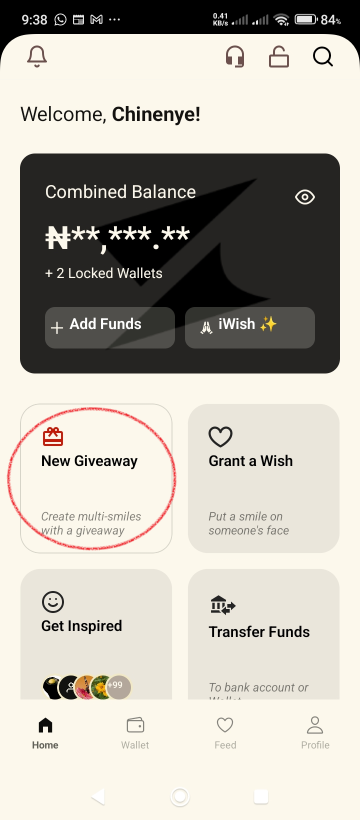
Make sure your Wallet is funded before you continue. You can fund either your Main Wallet, or you can top up your Hero Wallet. Tap the Wallet menu to fund your wallet and follow the prompts displayed.
Step 2: Set Privacy and Access
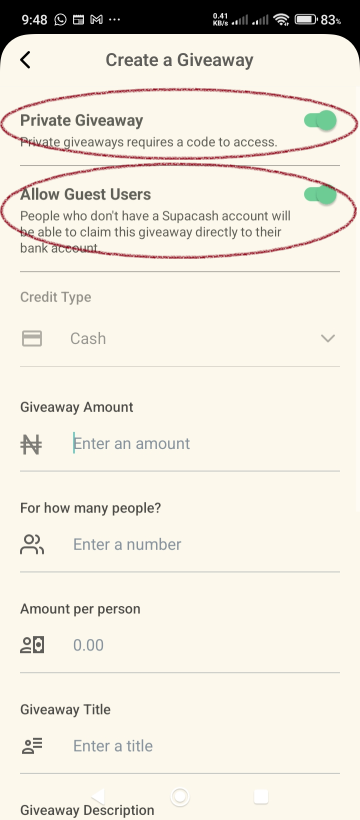
On the Create a Giveaway screen, toggle your preferences:
- Private Giveaway: Enable this if you want the giveaway to require a specific code to access/claim.
- Allow Guest Users: Enable this if you want people without a Supacash account to be able to claim the funds directly to their bank accounts.
Step 3: Define the Giveaway Details
Fill in the following details:
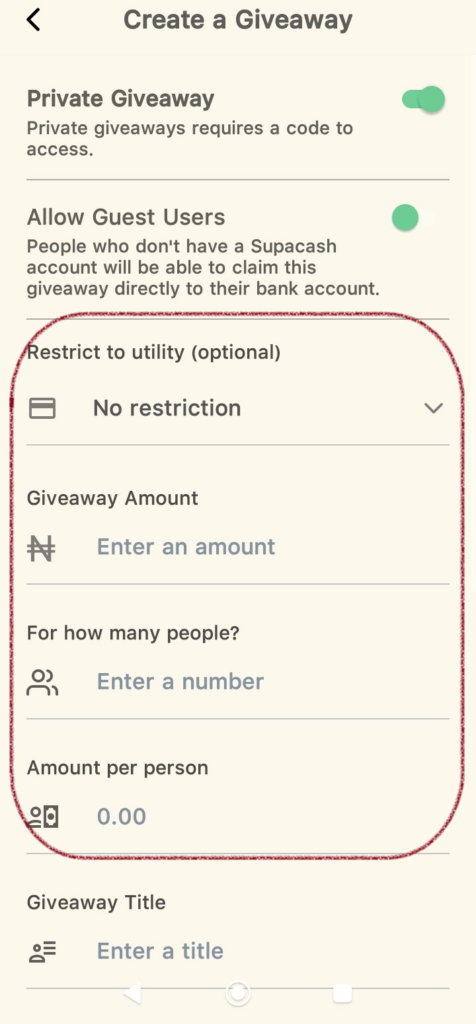
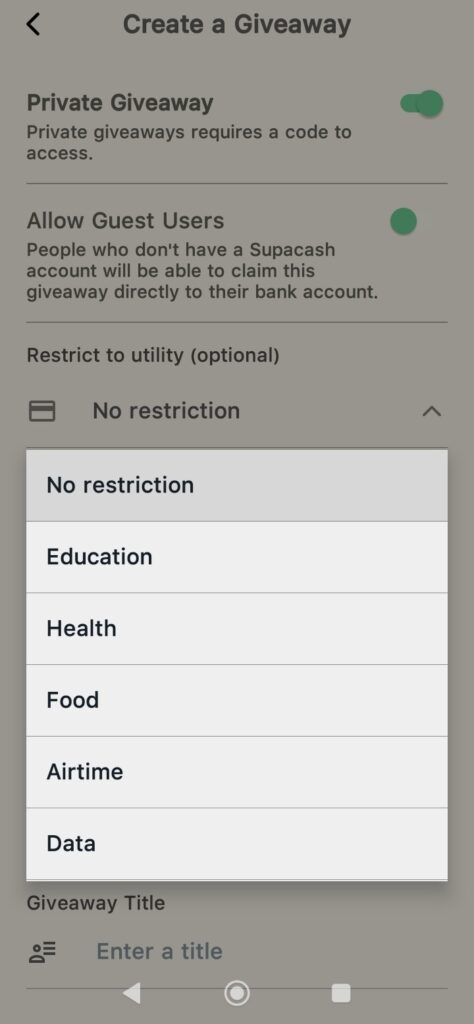
- Restrict to Utility (optional): Select the Lock Funds wallet you want the giveaway to be claimed in. Selecting No restriction means that the users will claim the giveaway to their Main Wallet. For example, if Airtime is selected, users can only claim the giveaway to their Airtime Wallet and can spend the funds only on Airtime purchases. N.B: This field is only enabled when Allow Guest Users is disabled.
- Giveaway Amount: Enter the total amount you want to give out (e.g., 10000). Minimum amount is N5,000.
- For how many people?: Enter the number of beneficiaries (e.g., 5). Minimum number of people is 5.
- Amount per person: The app will automatically calculate how much each person will receive (e.g., ₦2,000).
Step 4: Add Context
Make your giveaway stand out by adding details:
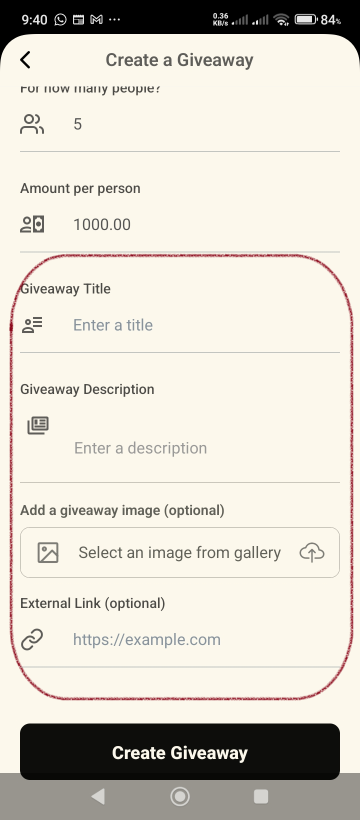
- Giveaway Title: Give it a catchy name.
- Giveaway Description: Add a short note.
- Giveaway Image: Tap Select an image from gallery to upload a custom photo (this is optional).
- External Link: Add the URL to your website or social media handle (this is optional).
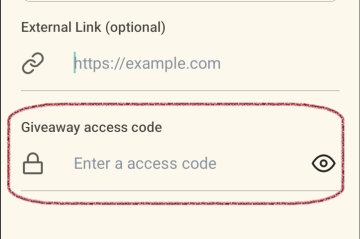
- Giveaway Access Code: If you selected Private Giveaway in Step 2, enter an access code your beneficiaries will use to claim the giveaway.
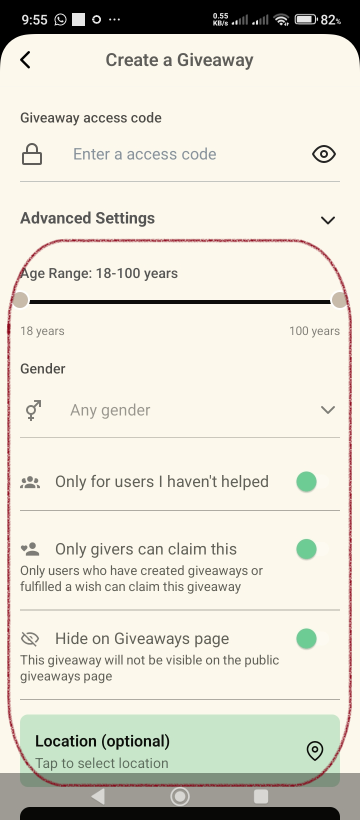
Step 5: Advanced Settings
If you disabled Allow Guest Users in Step 2, you will need to set up the criteria for existing Supacash account owners to claim your giveaway:
- Age Range: Move the slider buttons to set the lowest and highest age limit.
- Gender: Select the preferred gender to claim your giveaway or leave it as Any gender for both genders to claim.
- Only for users I haven’t helped: Enable this to ensure only first-time recipients can claim the giveaway.
- Only givers can claim this: Turn this on to restrict the giveaway to users who have previously created their own giveaways or fulfilled a wish.
- Hide on Giveaways page: Switch this on if you want the giveaway to be hidden from the public Giveaways feed, making it accessible only via direct link or code.
- Location (optional): Tap this section to select a specific geographic area if you want your giveaway to be local.
Step 6: Review and Select Payment Method
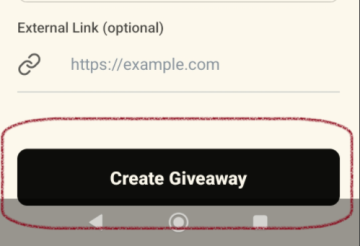
Tap the Create Giveaway button to see the summary pop-up:
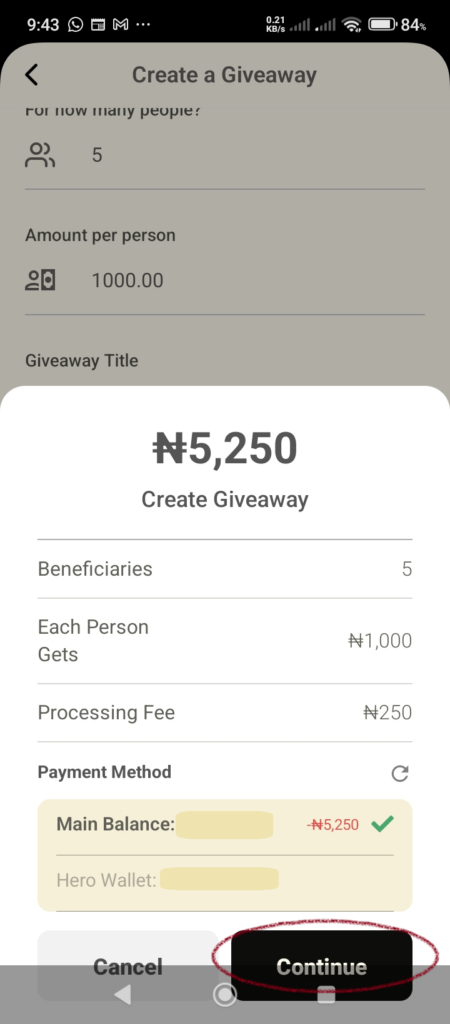
- Review the total amount (Total Giveaway Amount + Processing Fee).
- Select your Payment Method (e.g., Main Balance or Hero Wallet).
- Tap the Continue button.
Step 7: Confirm with Security PIN
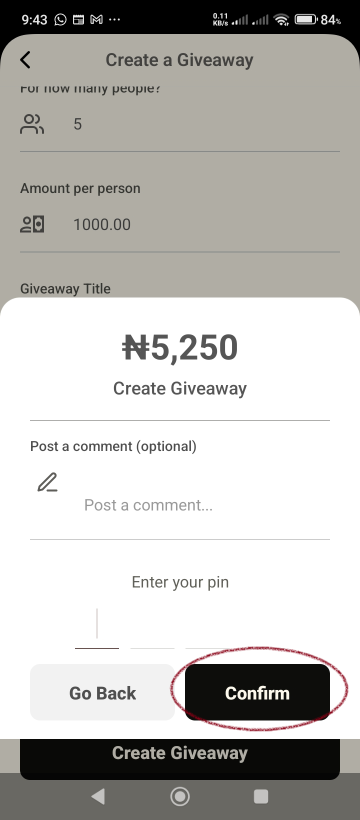
On the final confirmation screen:
- Add an optional comment if desired.
- Enter your 4-digit PIN to authorize the transaction.
- Tap the Confirm button.
Success!
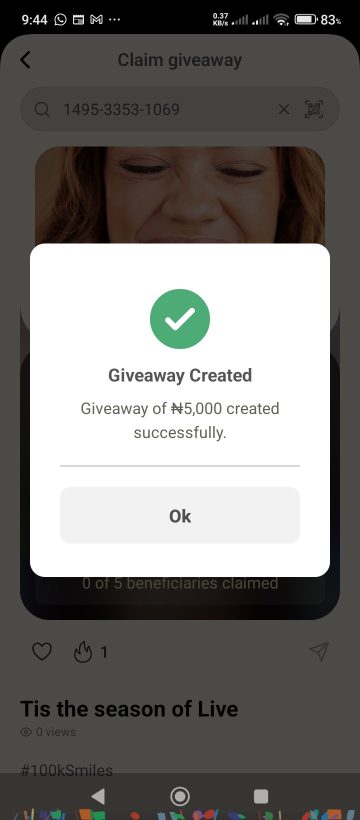
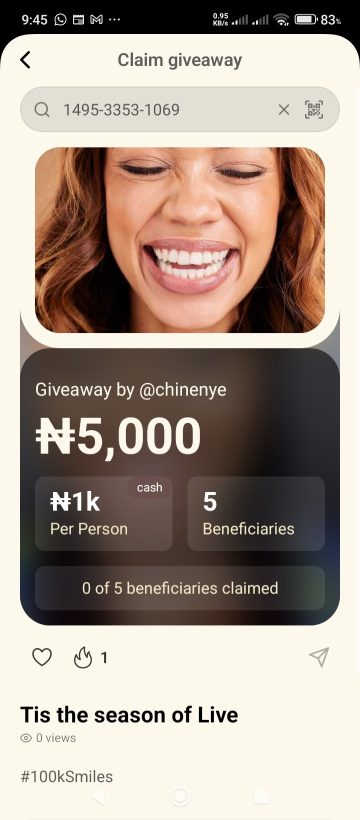
Once authorized, you will see a Giveaway Created confirmation. You will be provided with a unique Giveaway Code (located at the top of the final screen) that you can share with your intended beneficiaries.