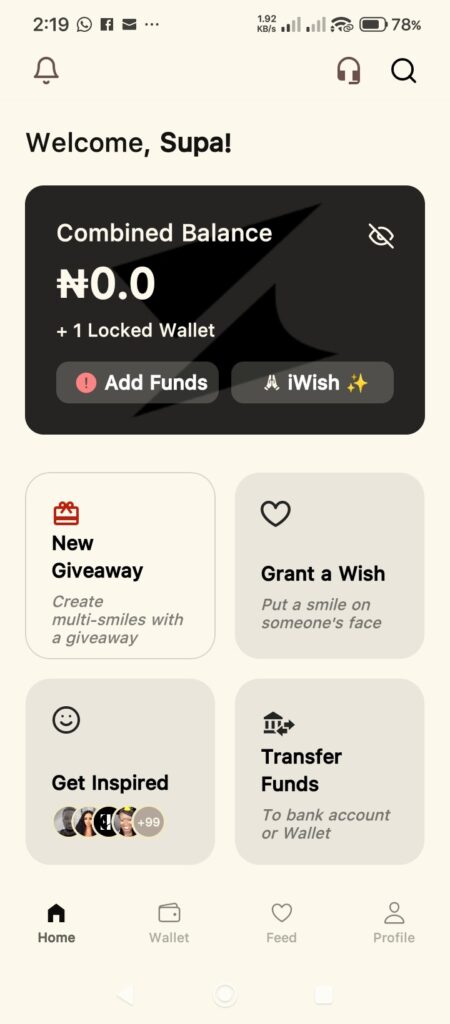
Welcome to Supacash! We are excited to have you join our community, where you can help others and get help when you need it most. Setting up your account is quick and easy. Follow these simple steps to get started.
Step 1: Download the App
- Download the Supacash app from the Google Play Store or Apple App Store.
Step 2: Launch the App
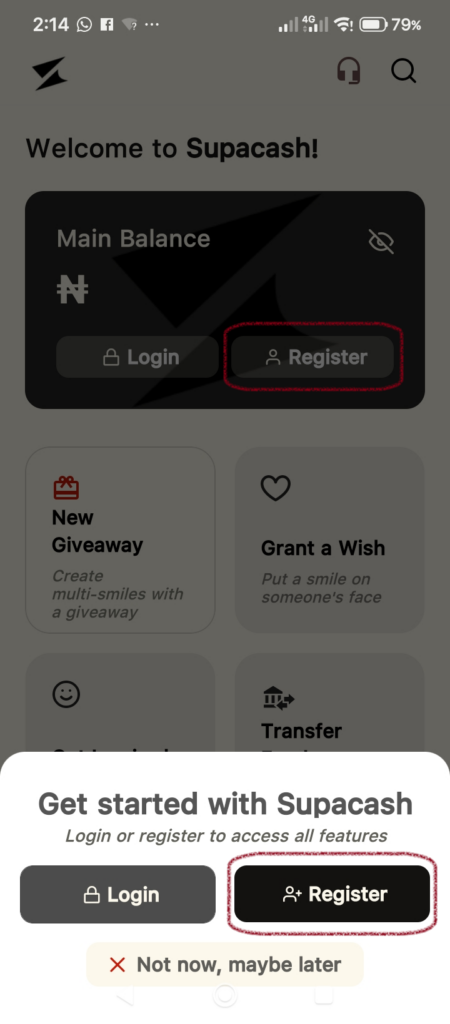
When you first open the Supacash app, you will see the welcome screen.
- Click on the Register button located on the Main Balance card or the Register icon at the bottom right of your screen.
- A pop-up may appear asking you to Get started with Supacash. Tap Register to proceed.
Step 3: Enter Your Basic Details
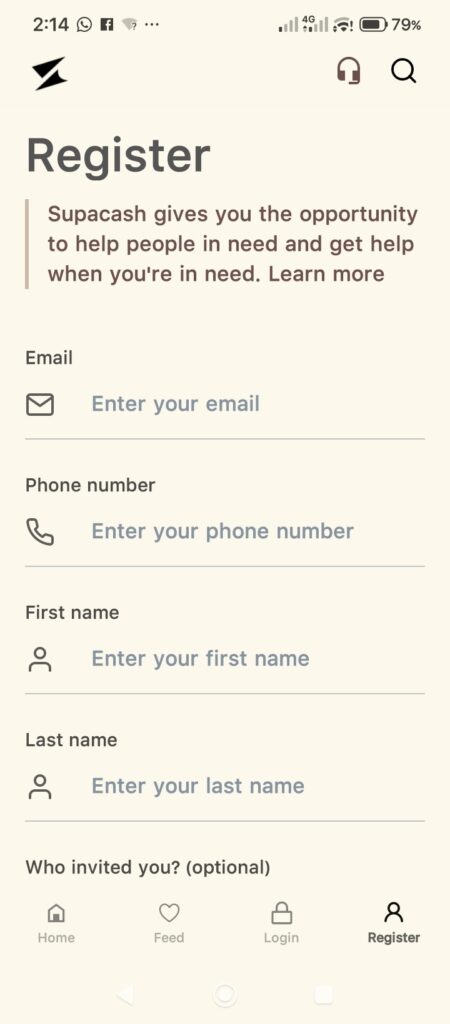
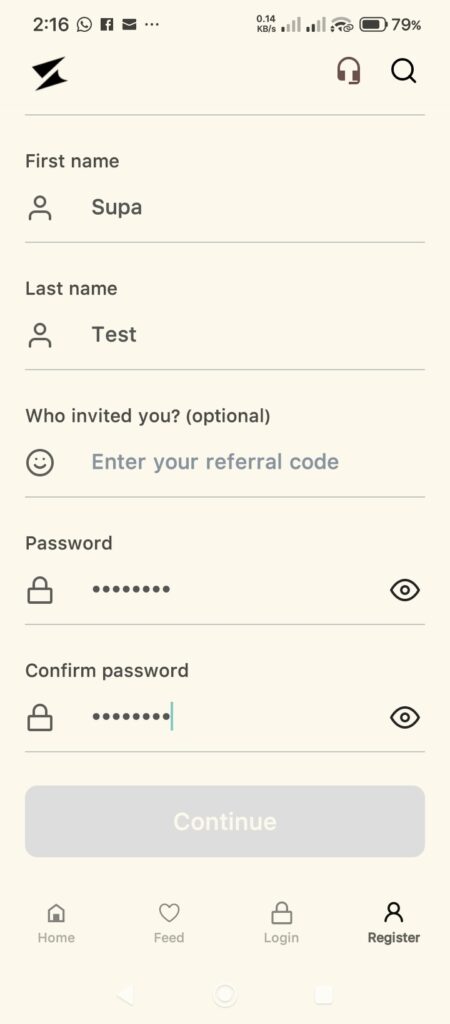
On the registration screen, you will be asked to provide some essential information to secure your account:
- Email: Enter a valid email address that you have access to.
- Phone Number: Enter your mobile number.
- First Name: Enter your legal first name.
- Last Name: Enter your legal last name.
- Who invited you? (Optional): If a friend referred you, enter their referral code here. If not, you can leave this blank.
- Password: Create a strong, unique password.
- Confirm Password: Re-enter your password to ensure it matches.
- Continue: Once all fields are filled, tap the Continue button.
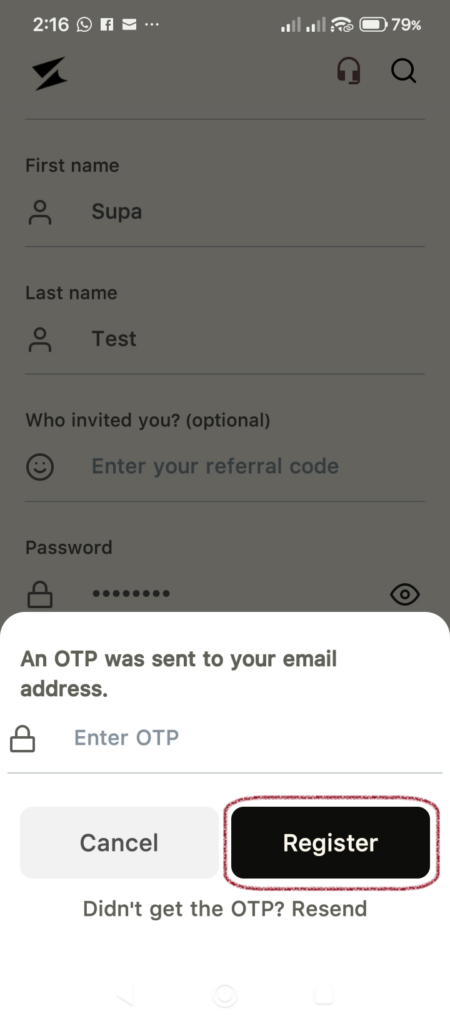
Step 4: Email Verification (OTP)
To keep your account secure, we need to verify your email address.
- Check your email inbox for a message from Supacash containing a One-Time Password (OTP).
- Enter the code into the Enter OTP field on the app.
- Tap Register.
Tip: If you don’t see the email, check your Spam/Junk folder or tap Resend after a few minutes.
Step 5: Welcome to Your Dashboard!
Congratulations! Your account is now created. You will be redirected to your home dashboard, where you can perform financial transactions and interact with all the features of the app.