
Before you can send or receive funds, your wallet must be activated and secured. Follow these steps to complete the activation:
Step 1: Locate the Wallet Activation Prompt
- Log in to your Supacash app.
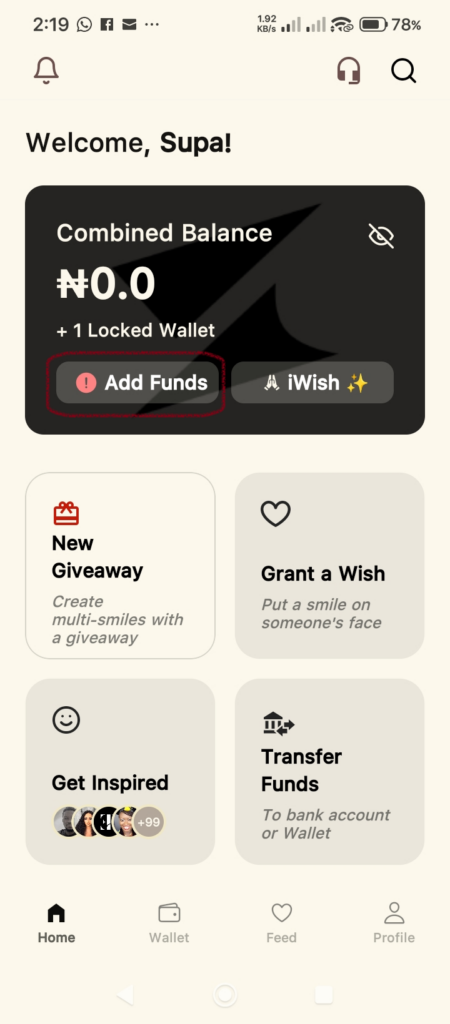
- On the Home dashboard, you will see a notification or a card labeled Activate Wallet.
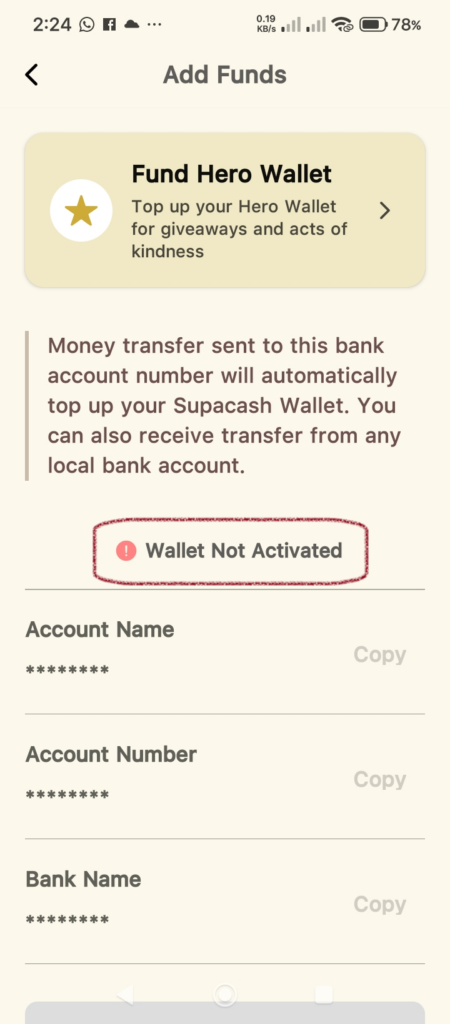
- Also, from the Add Funds screen, you will see a notification labeled Wallet Not Activated.
- Tap this to begin the initialization process.
Step 2: Complete Your Identity Verification (KYC)
To comply with financial regulations and protect the community, Supacash requires a brief identity check:
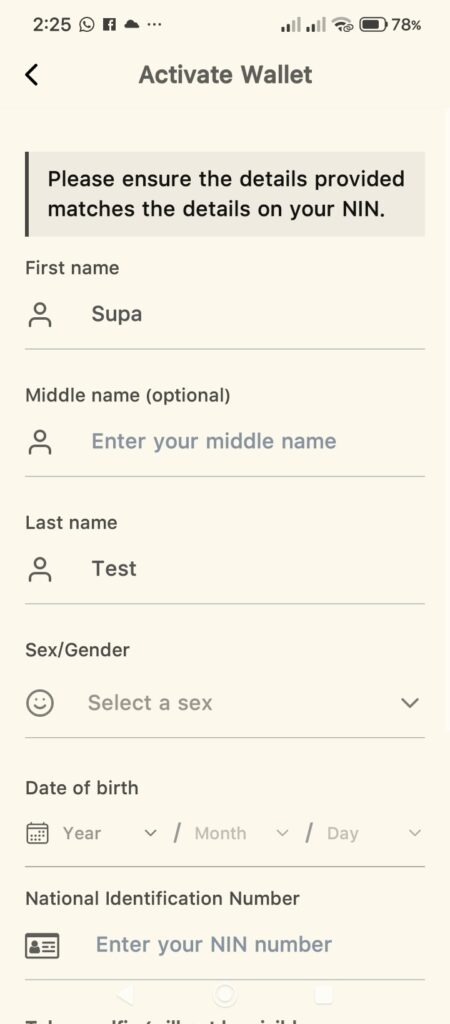
- Name: Enter your First Name, Middle Name, and Last Name.
- Sex/Gender: Select your gender.
- Date of Birth: Ensure this matches the date on your NIN registration.
- National Identification Number: Enter your NIN registration number as prompted.
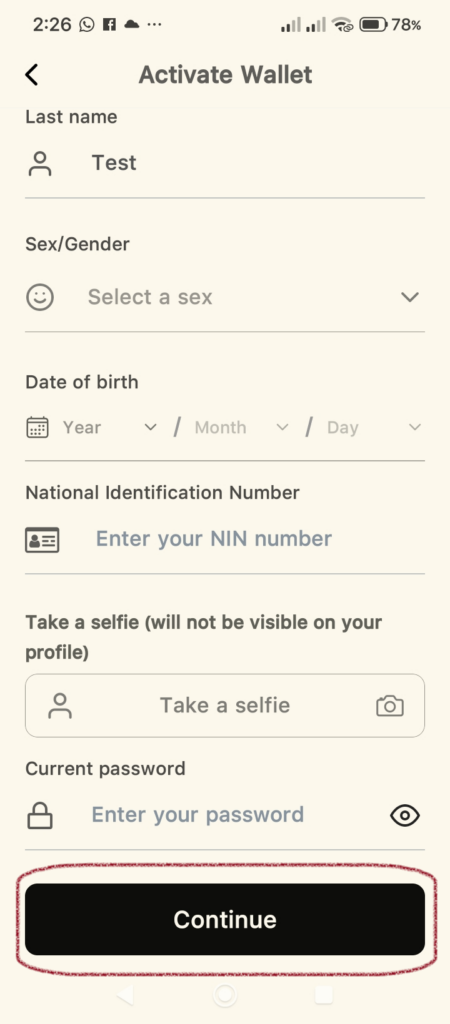
- Selfie: Take a picture of your face. Please make sure you are in a well-lit environment and that your full face is clearly visible.
- Current Password: Enter your password
- Confirm Details: Review the information for accuracy and tap Continue.
Please ensure that your details (First Name, Last Name, Gender, Date of Birth) entered on the app match the ones used in your NIN registration.
Step 3: Phone Number Verification
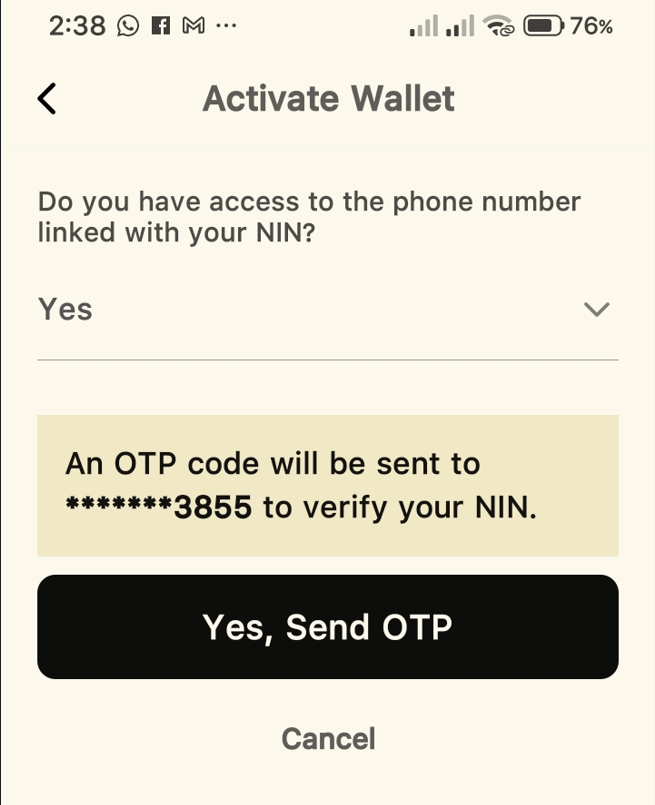
In this stage, you will be asked, “Do you have access to the phone number linked with your NIN?”:
If Yes:
- Select the Yes option.
- Tap the Yes, Sent OTP button.
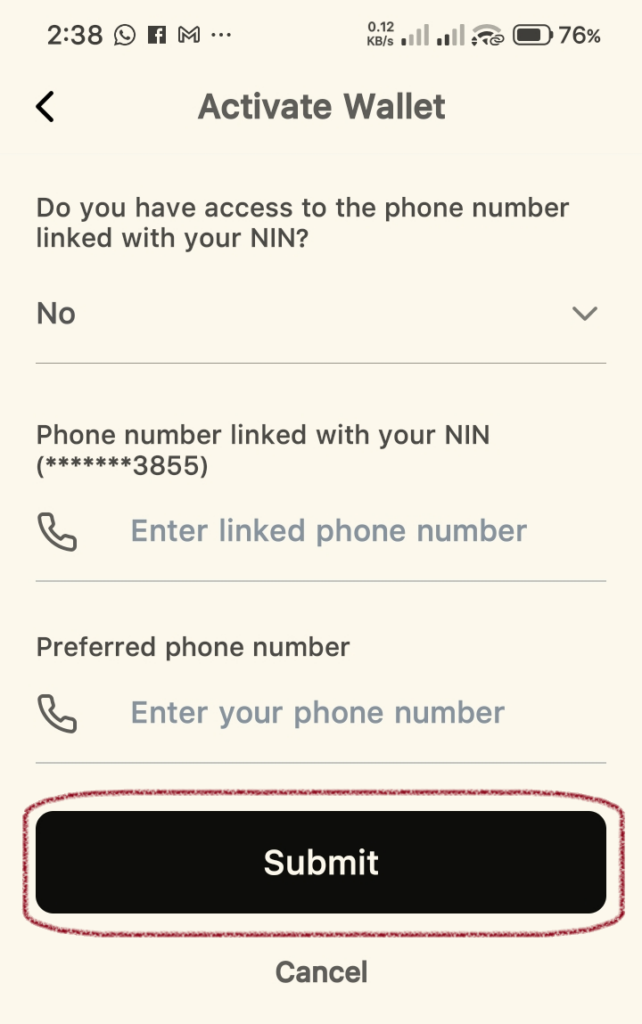
If No:
- Select the No option.
- Enter the initial Phone Number linked with your NIN.
- Enter a preferred alternate phone number.
- Tap the Submit button.
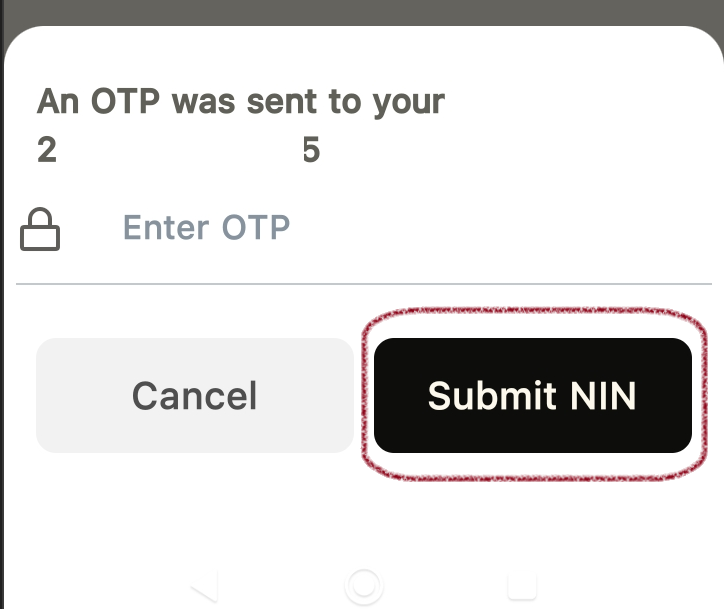
Step 4: Enter OTP To Complete Verification
- Enter OTP: Enter the OTP sent to your phone number.
- Tap the Submit NIN button.
Step 5: Verification Confirmation
- Once your NIN is verified successfully, a success message will pop up.
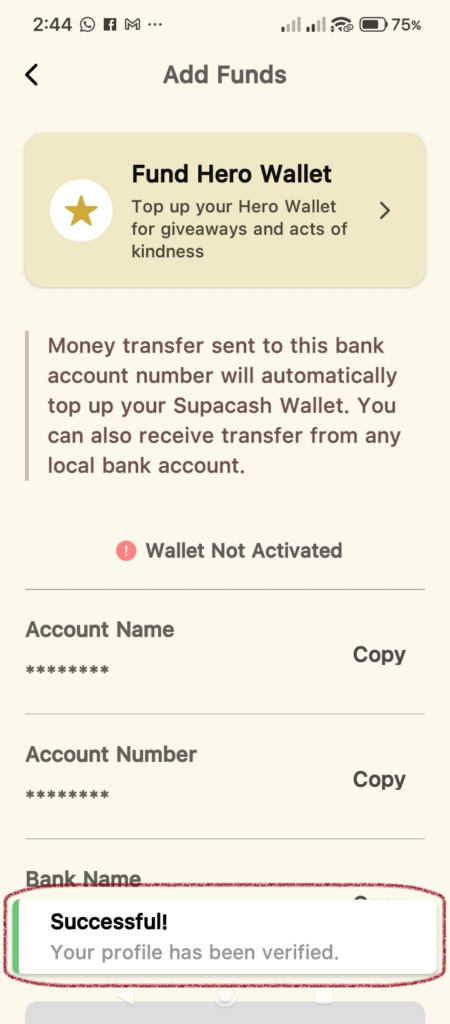
Success!
Your Supacash wallet is now fully operational. You can now fund your wallet to create giveaways or claim funds from others directly to your balance and perform other transactions.