
To see exactly how much you have and where your funds are allocated, follow these steps:
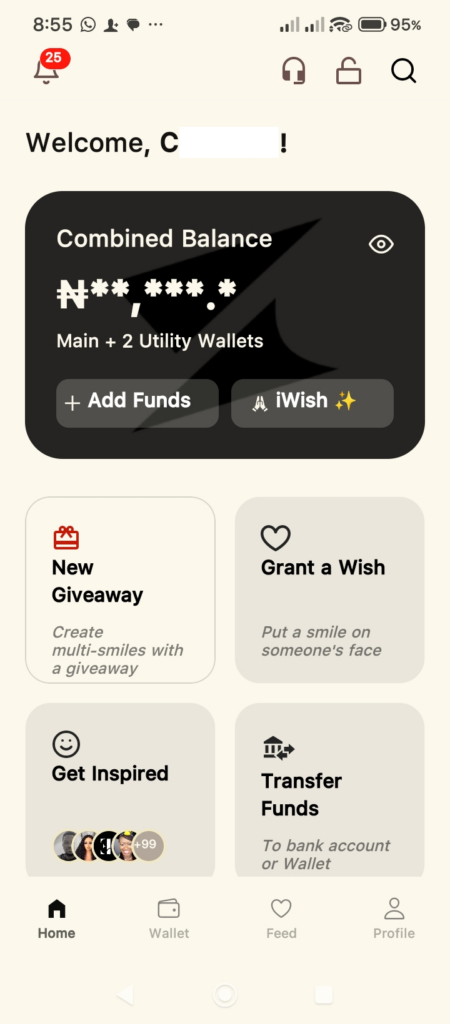
- Open the App: You will land on the Home screen, where your Combined Balance is displayed, and an overview of your wallet count is shown.
- Tip: If your balance is hidden (showing stars like ₦**,***), tap the Eye Icon in the top right corner of the black card to reveal it.
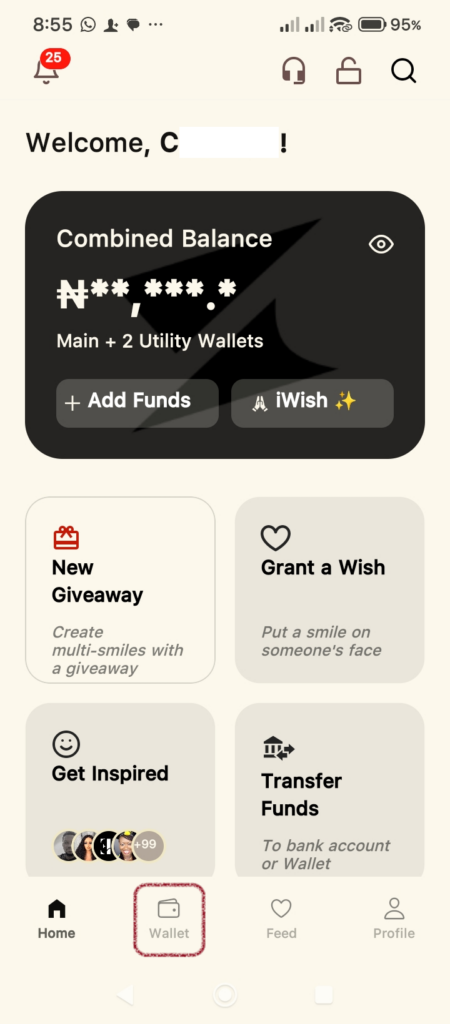
2. Access the Wallet Tab: Look at the bottom navigation bar and tap the Wallet icon (the second icon from the left).
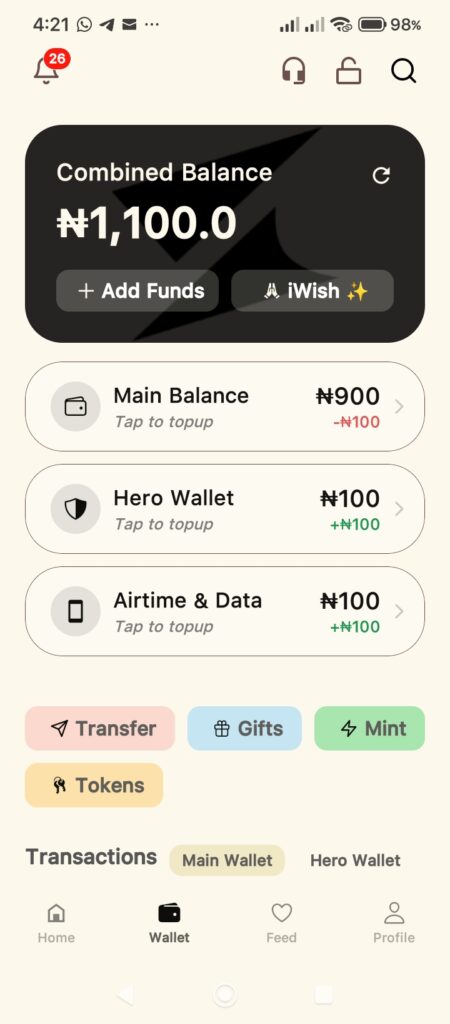
3. Main Balance: Your primary funds for general use.
- Main Balance: Your primary funds for general use.
- Hero Wallet: Funds specifically set aside for Giveaways.
- Utility Wallets: Funds dedicated to utility bills.
The balance of each wallet is displayed in black, while the amount of the last transaction is displayed underneath in green or red (credit or debit).
Understanding Utility Wallets
The app allows you to Lock Funds into specific Utility Wallets. This is a great way to budget and ensure you have money set aside for essential needs.
How to Find Utility Wallet Categories:
- Tap Add Funds on the Home or Wallet screen.
- Select the Lock Funds toggle at the top of the Fund My Wallet screen.
- Tap the Dropdown Menu Locked wallet to see the full list of utility categories.
Types of Utility Wallets Available:
You can categorize and lock your money for any of the following purposes:
- Education: Set aside money for tuition, books, or school fees.
- Health: Reserve funds for medical emergencies or medical purchases.
- Food: Budget specifically for your monthly groceries or meals.
- Airtime: Funds dedicated to airtime recharges.
- Data: Funds dedicated to data recharges.
- Other Utilities: Funds dedicated to Electricity, Cable TV, and Internet recharges or purchases.
Pro-Tip: By using the Lock Funds feature, you can better manage your spending habits and ensure that your most important bills are always covered before you spend from your Main Balance.
Please note that you cannot withdraw from any of your Locked Funds Wallet to your Main Wallet.