
The Hero Wallet is a specialized wallet on Supacash used exclusively for Hero Activities, such as hosting giveaways and granting wishes for others.
Follow this simple, step-by-step guide to move funds from your bank account directly into your Hero Wallet using Paystack.
Step 1: Access Your Wallet
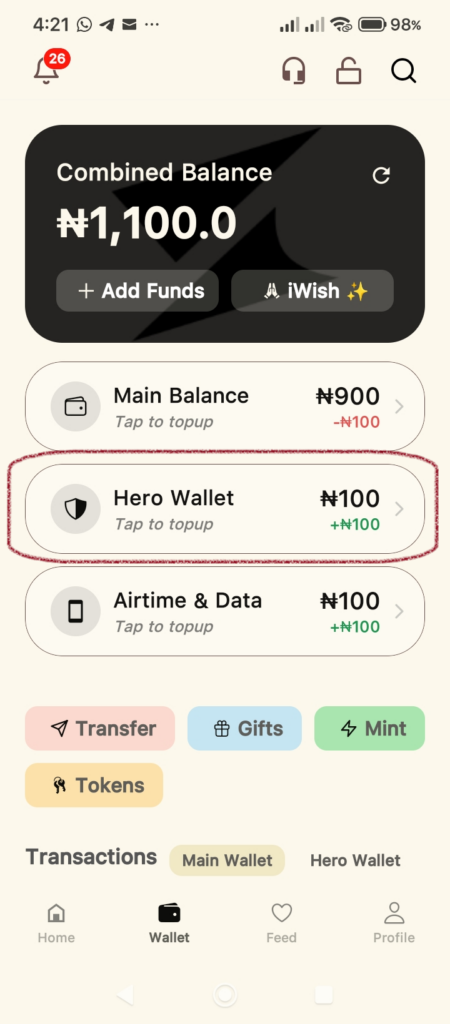
Open your Supacash app and navigate to the Wallet tab (found at the bottom of the screen). You will see your Combined Balance and various sub-wallets. Tap on Hero Wallet to begin.
Step 2: Enter the Funding Amount
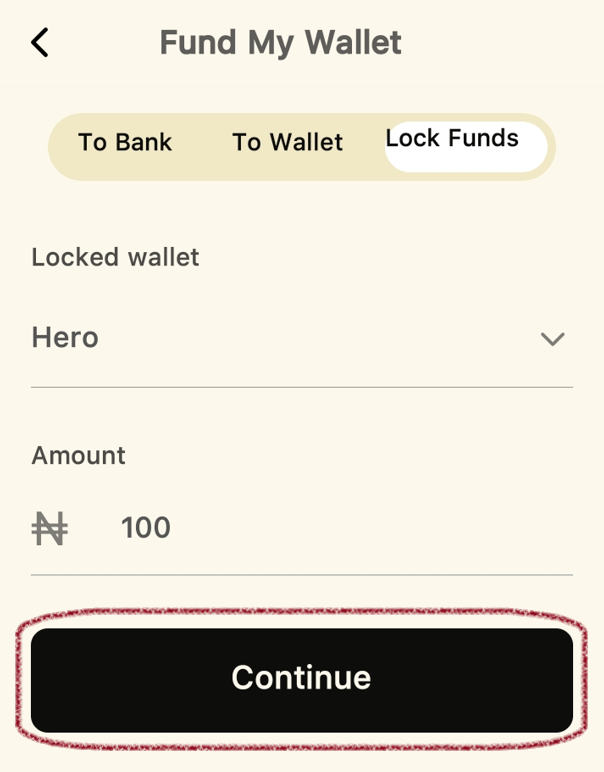
On the Fund My Wallet screen, ensure the Lock Funds tab is selected:
- Ensure the Locked wallet dropdown is set to Hero.
- Tap the Amount field and enter the total amount you wish to add.
- Tap Continue.
Step 3: Select Paystack as Your Payment Method
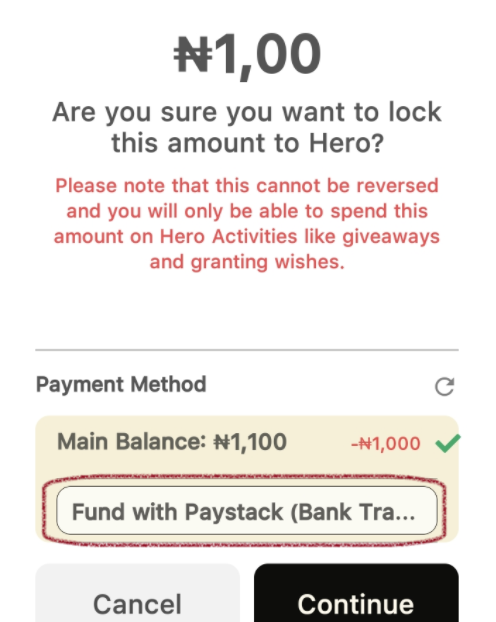
A confirmation pop-up will appear.
- Review the Warning: Remember that funds in the Hero Wallet cannot be reversed or moved back to your Main Balance; they are dedicated to giveaways and wishes.
Under Payment Method, select the option labeled Fund with Paystack.
Step 4: Secure with Your PIN
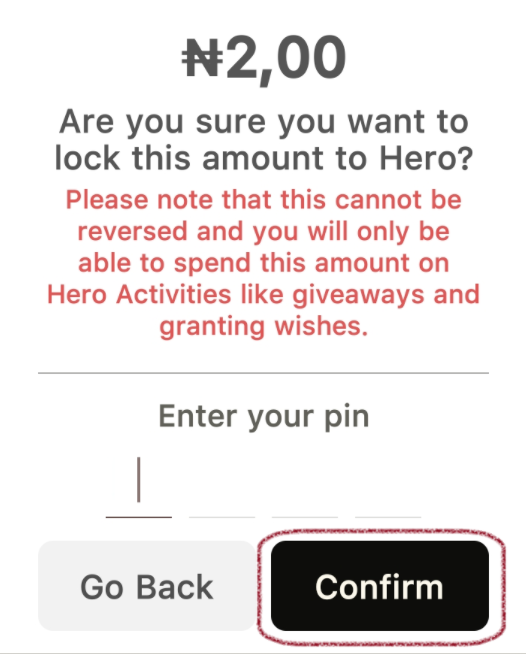
To protect your account, you will be prompted to Enter your pin. Type in your 4-digit transaction security PIN and tap Confirm.
Step 5: Complete the Paystack Transaction
You will be redirected to the secure Paystack payment gateway.
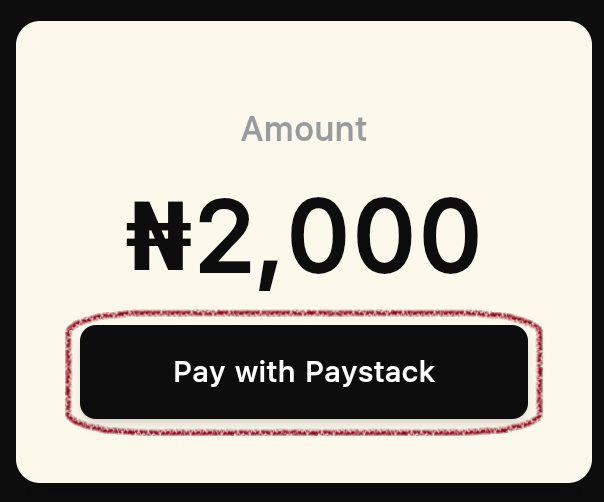
- Review the amount on the screen.
- Tap Pay with Paystack.
- Follow the prompts to complete the payment via your preferred method.
Once the transaction is successful, your Hero Wallet balance will update immediately, and you’ll be ready to start making an impact through giveaways.