
Need to send funds to another Supacash user? Our peer-to-peer transfer feature is fast, secure, and even allows you to earmark funds for specific needs. Follow these simple steps to complete your transfer.
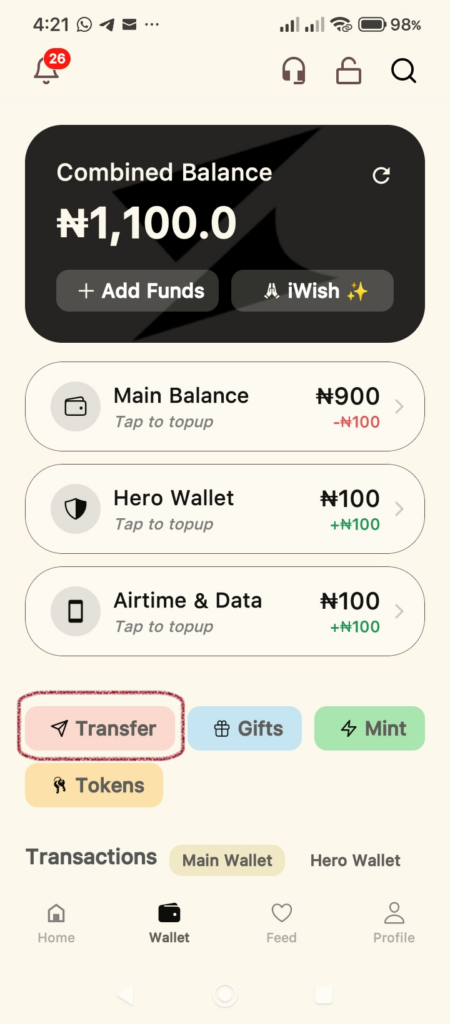
Step 1: Open the Transfer Menu
Start at your Wallet dashboard. Locate the action buttons below your balance and tap the Transfer button.
Step 2: Select the To Wallet Tab
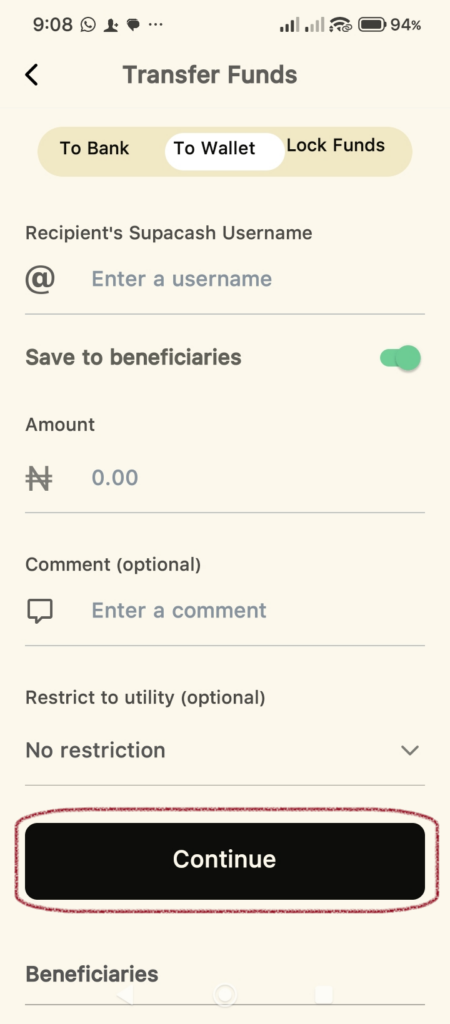
At the top of the Transfer Funds screen, you will see three options. Tap on To Wallet to ensure you are sending money to another Supacash user rather than a bank.
Step 3: Enter Recipient & Amount Details
On this screen, provide the following information:
- Recipient’s Username: Type in the Supacash username (handle) of the person you are sending money to.
- Amount: Enter the total amount you wish to transfer.
- Comment (Optional): Add a short note for the recipient.
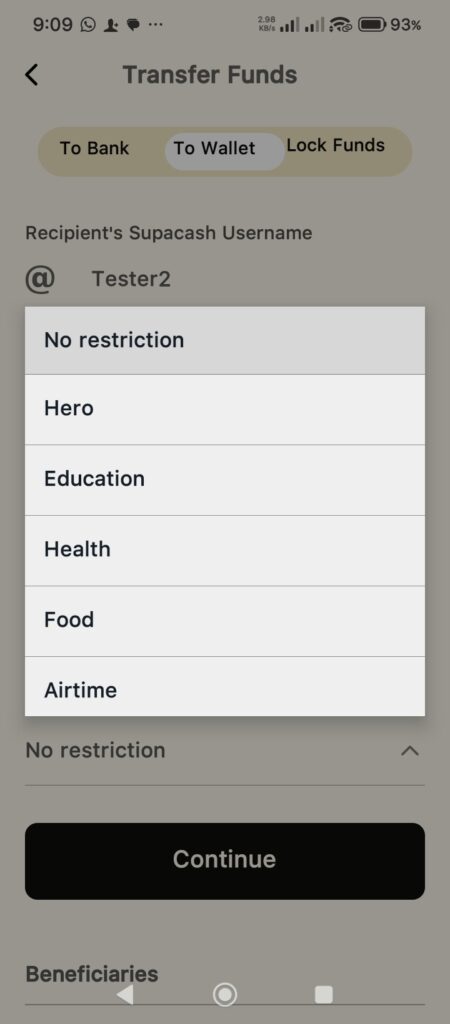
- Restrict to Utility (Optional): This unique feature allows you to choose if the recipient can only spend the money on specific things like Food, Health, or Airtime. If there’s no restriction, leave it as No restriction.
- Continue: Once filled out, tap the Continue button.
Step 4: Confirm Transfer Details
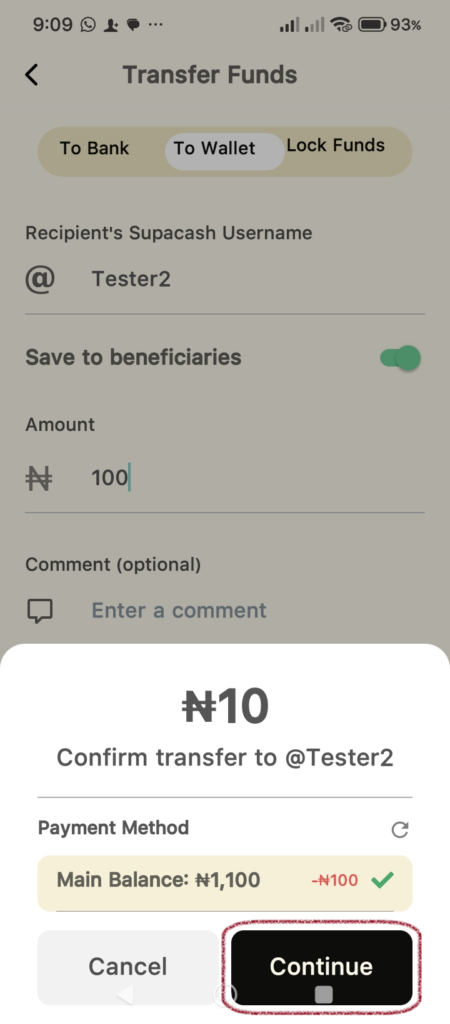
A confirmation pop-up will appear summarizing your request.
- Review: Double-check the recipient’s name and the amount.
- Payment Method: Ensure your Main Balance is selected as the source.
- Proceed: Tap Continue to move to the final security step.
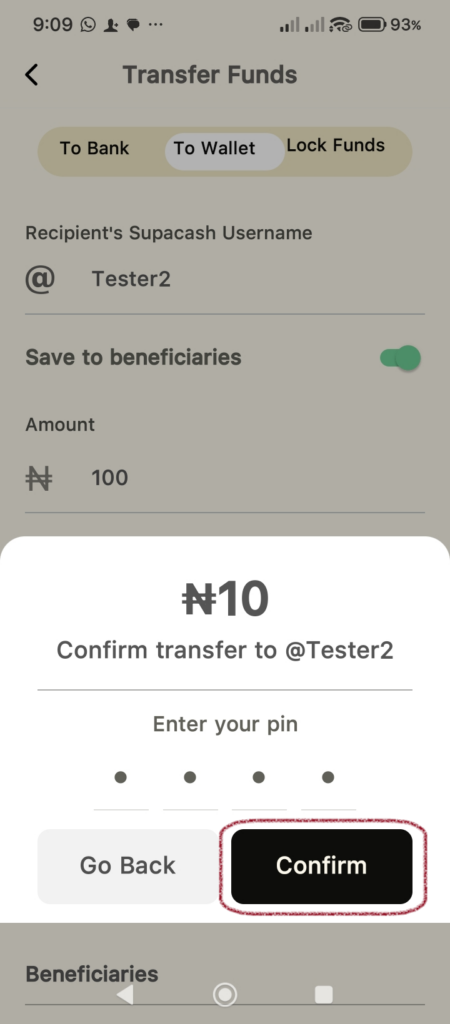
Step 5: Secure Your Transaction
To protect your account, you must authorize the transfer:
- Enter your secure 4-digit transaction PIN.
- Tap Confirm.
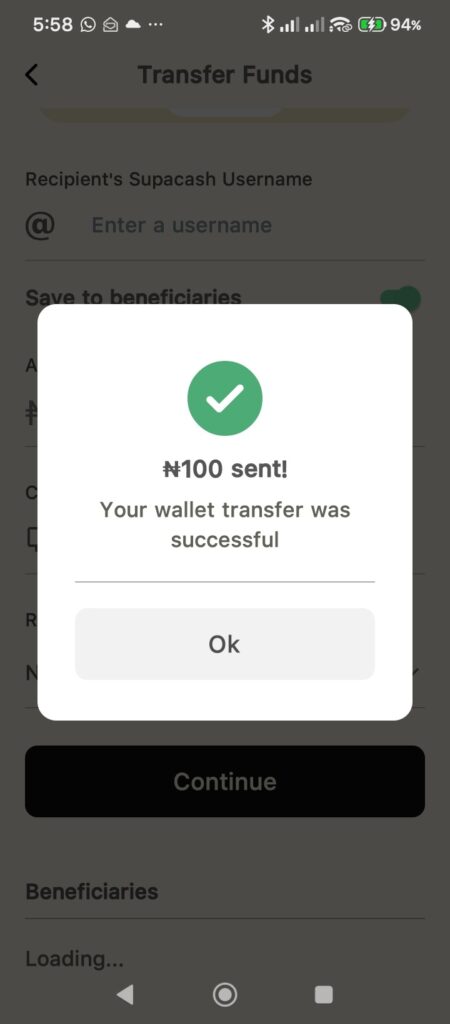
Step 6: Success!
A green checkmark will appear with a Success message confirming the funds have been sent. Tap Ok to return to your wallet.
Tip: Toggle the Save to beneficiaries switch during Step 3 to save this user to your list for even faster transfers next time.