Receiving a Mint is just as exciting as sending one. Whether a friend sent you a QR code or an address, here is how you can claim those funds directly into your Supacash wallet.
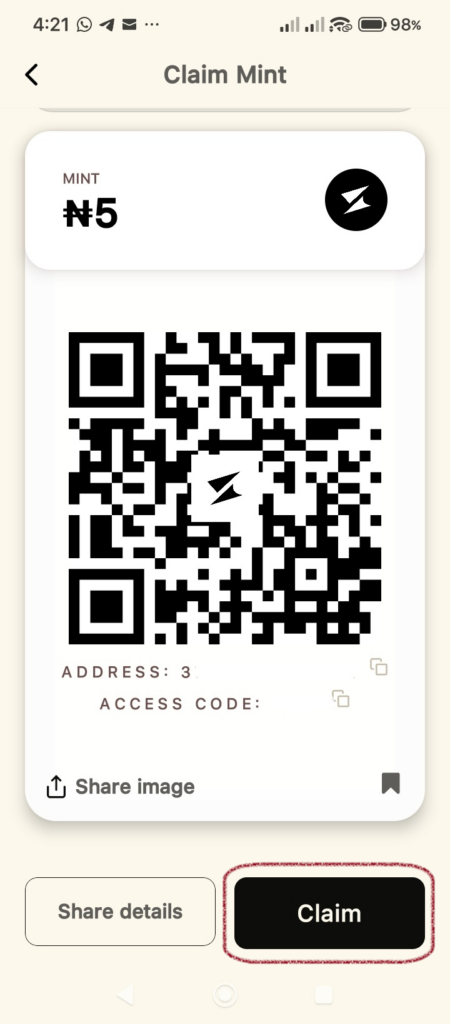
Step 1: Open the Mint Voucher
When someone sends you a Mint, you will typically receive an image or a message containing:
- A QR Code
- A Mint Address
- An Access Code (provided by the sender)
Once you have the Mint open on your screen, tap the Claim button at the bottom right.
Step 2: Choose Your Destination
A Claim Mint pop-up will appear at the bottom of your screen. To send the money to your Supacash wallet:
- Select the To Wallet tab.
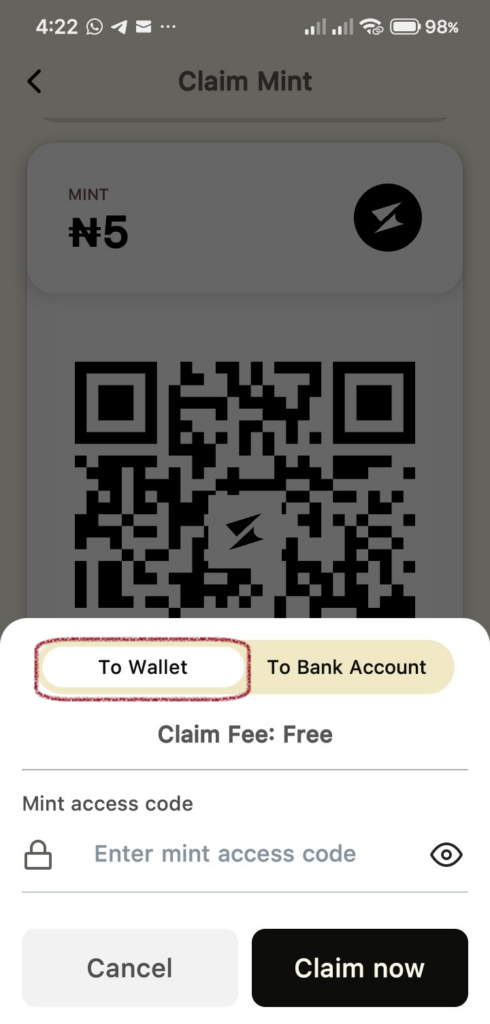
- Review the Claim Fee (claims to your wallet are Free).
Step 3: Enter the Access Code
For security, Mints require a specific code set by the sender:
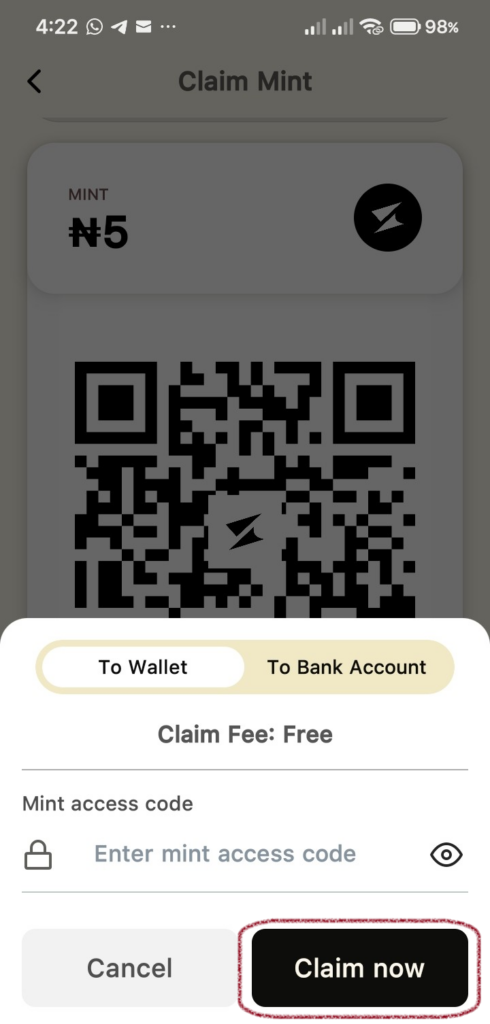
- Locate the Mint access code field.
- Type in the code provided to you by the person who created the Mint.
- Tap the Claim now button.
Step 4: Confirmation
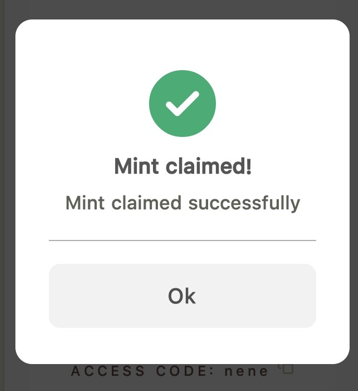
If the code is correct, a green checkmark will appear with the message Mint claimed successfully. Tap Ok, and the funds will be immediately available in your wallet balance.