
Keeping your security credentials fresh is a great way to stay protected. If you already know your current PIN but want to update it to a new one, follow these simple steps to change it within the app.
Step 1: Open Your Profile
Launch the Supacash app and tap the Profile icon at the bottom right of your screen.

Step 2: Navigate to Settings
On your profile page, tap the Settings button located next to the Share button.

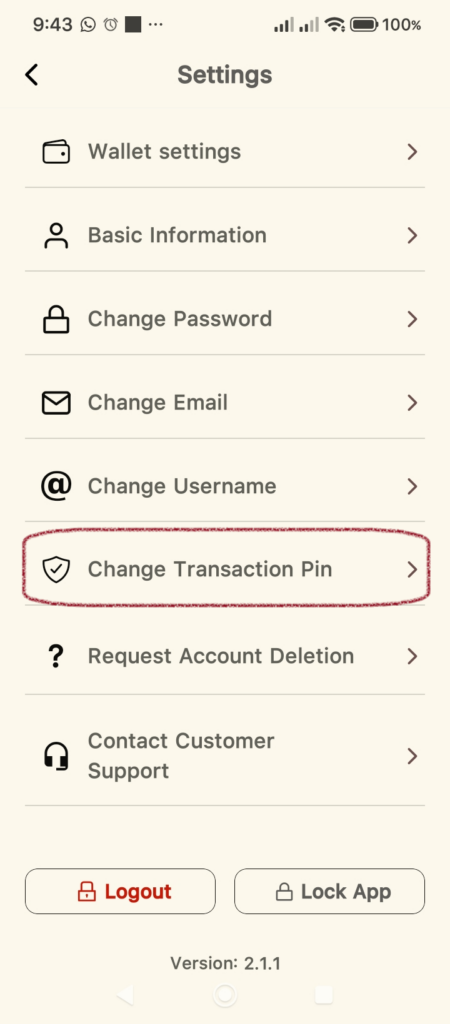
Step 3: Select Change Transaction Pin
Scroll through the settings menu and select Change Transaction Pin.
Step 4: Enter Your New Details
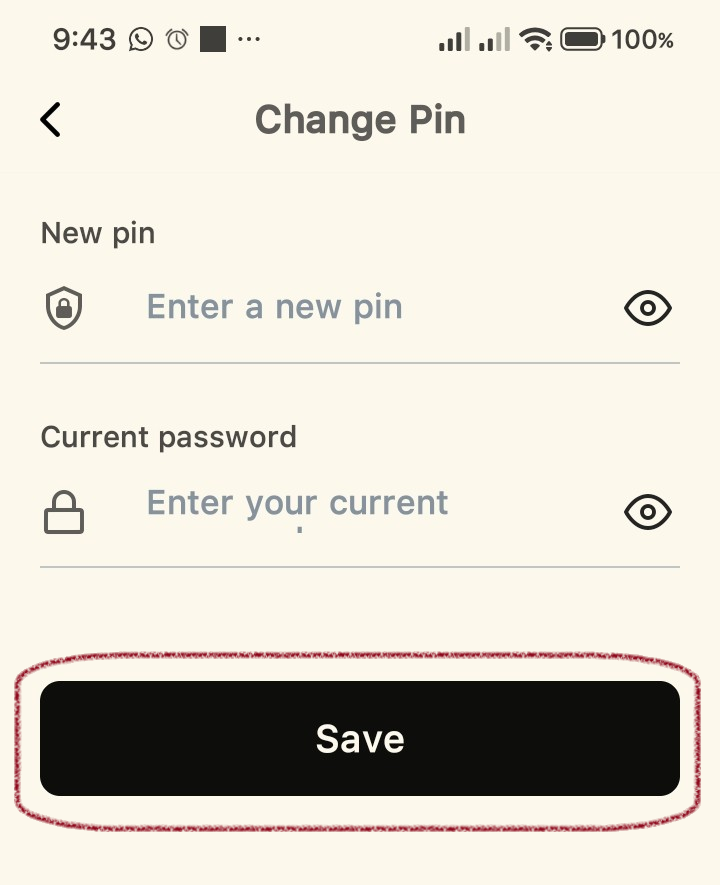
On the Change Pin screen, you will need to provide two pieces of information:
- New pin: Enter the new 4-digit code you wish to use.
- Current password: Enter your main Supacash login password to authorize the change.
Step 5: Save Your Changes
Once you have filled in both fields, tap the Save button.
Step 6: Success
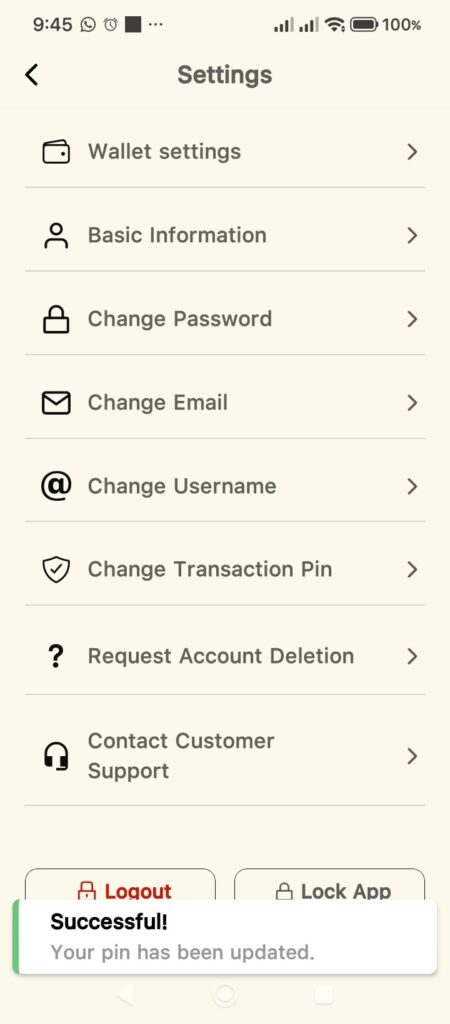
A confirmation message will appear at the bottom of the screen stating, “Successful! Your pin has been updated”. You can now use your new PIN for all future transactions.
Security Tip: If you ever suspect someone else knows your PIN, we recommend changing it immediately. Use a unique combination of numbers that you don’t use for other banking apps.