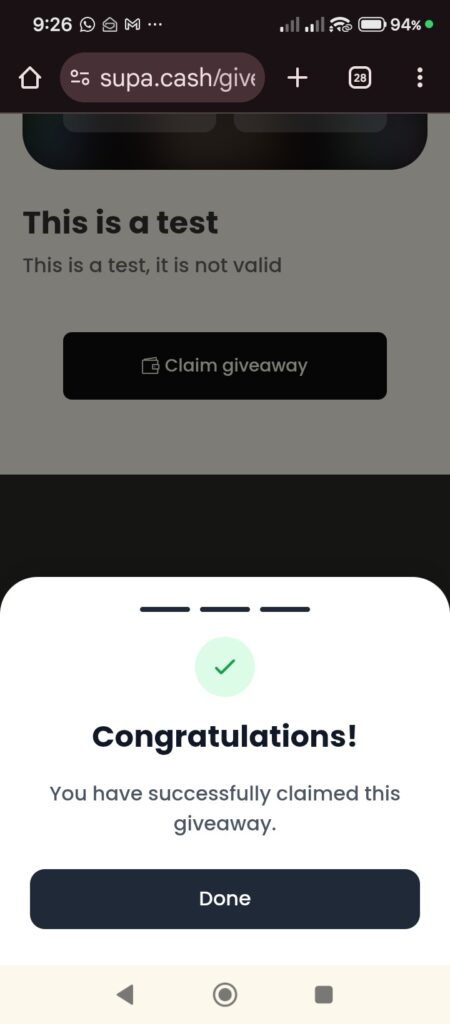
If you have received a Supacash giveaway link, you can claim your funds directly to your bank account without needing to create an account on Supacash. Follow these simple steps:
Step 1: Open the Giveaway Link
- Click the giveaway link provided by the Giver and open it on your device’s web browser.
- Review the giveaway details, including the Total Amount, the Amount Per Person, and the number of beneficiaries remaining.
- Tap the Claim giveaway button at the bottom of the screen.
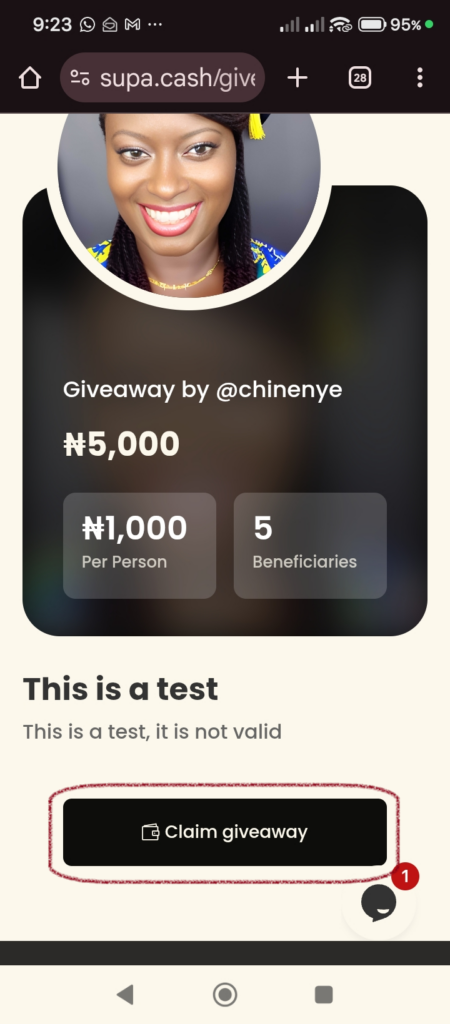
Step 2: Enter Your Personal Information
- On the first prompt, ensure the toggle is set to To Bank Account.
- Enter your First Name, Last Name, and Email Address.
- Tap Next to proceed.
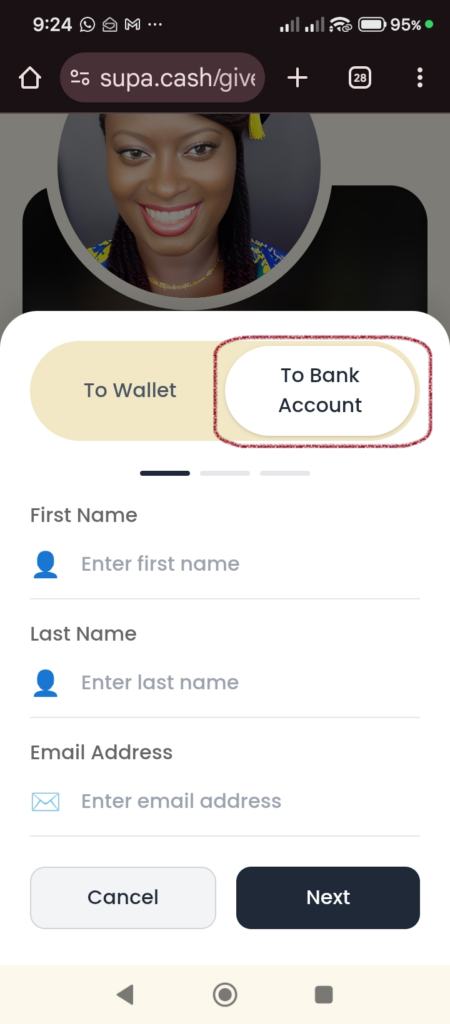
Step 3: Provide Your Banking Details
- Enter your Account Number.
- Select your Bank from the dropdown menu (e.g., GTBank Plc).
- (Optional) Write a Thank-you Message for the Giver in the text box provided.
Tap Next.
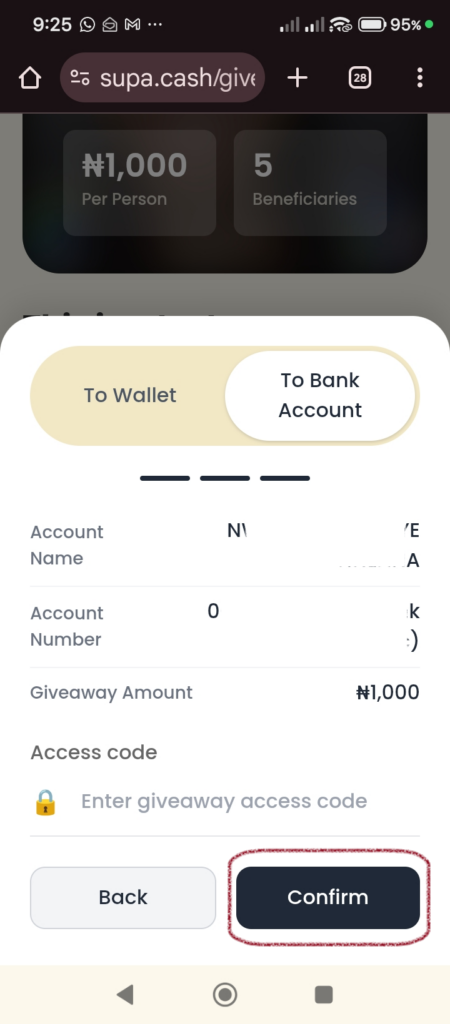
Step 4: Verify and Secure the Claim
- Review your Account Name and the Giveaway Amount (e.g., ₦1,000) to ensure everything is correct.
- Enter the Access Code: If the giveaway is private, type in the required access code provided by the Giver.
- Tap Confirm.
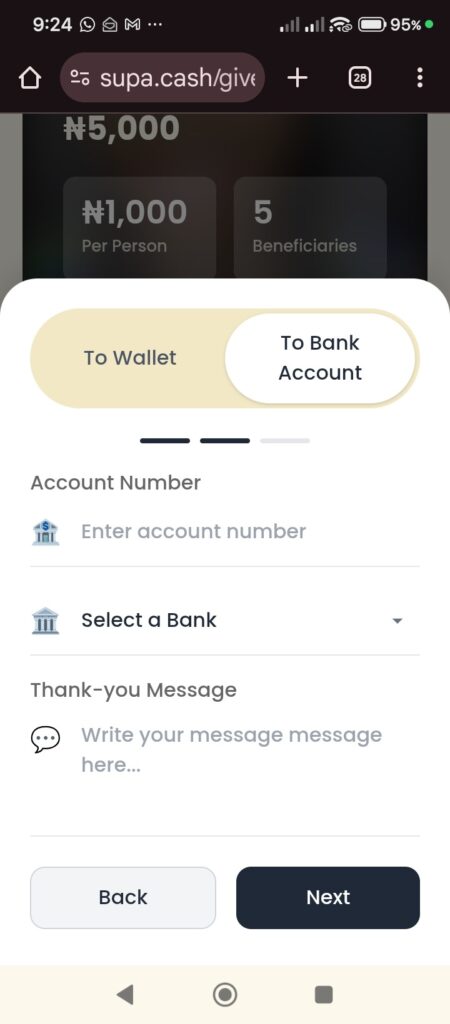
Step 5: Completion
- Once processed, a Congratulations screen will appear confirming you have successfully claimed the giveaway.
- Tap Done to close the browser.