
Supacash makes it easy to move your gifted funds directly into your traditional bank account. Follow these steps to redeem your Mint voucher securely.
Step 1: Initiate the Claim
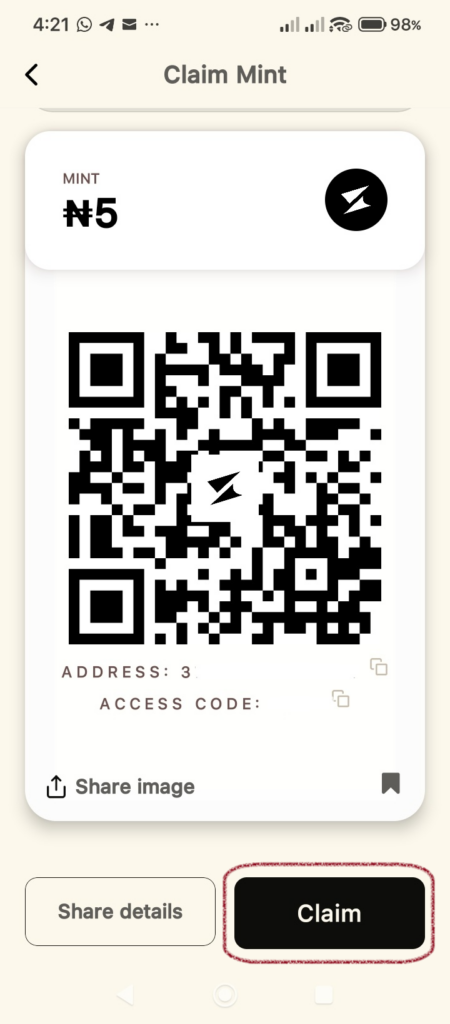
When you receive a Mint via QR code or address, open the voucher screen within your Supacash app.
- Tap the Claim button located at the bottom right of the screen.
Step 2: Select Your Destination
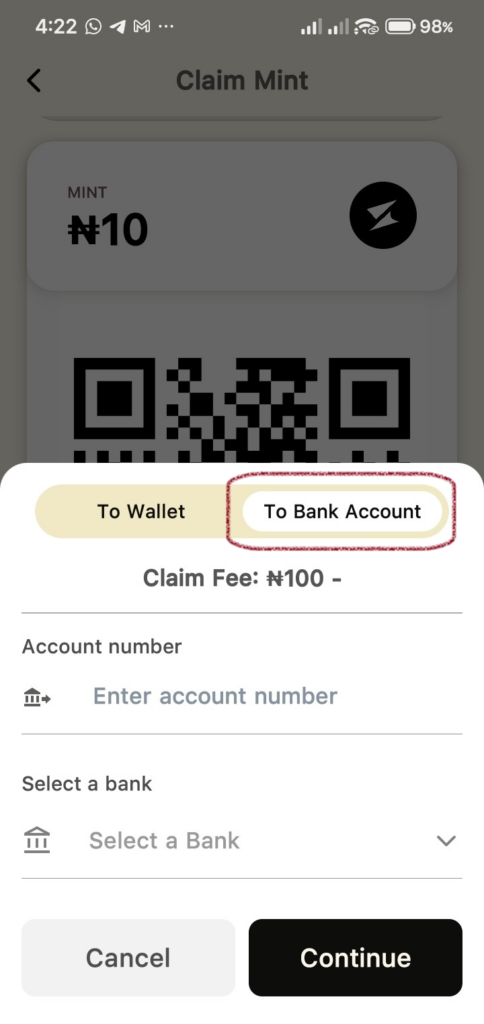
A menu will slide up with two options.
- Tap the To Bank Account tab.
- Note: Review the Claim Fee displayed before proceeding.
Step 3: Enter Your Banking Details
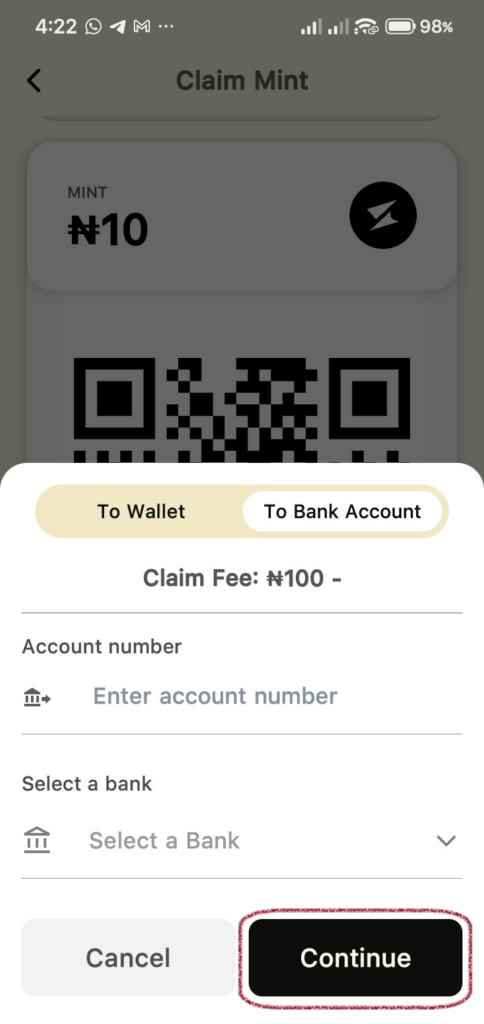
To ensure the funds reach the correct destination, provide your bank info:
- Account Number: Type in your 10-digit NUBAN account number.
- Select a Bank: Choose your financial institution from the dropdown list.
- Tap Continue.
Step 4: Verify and Secure
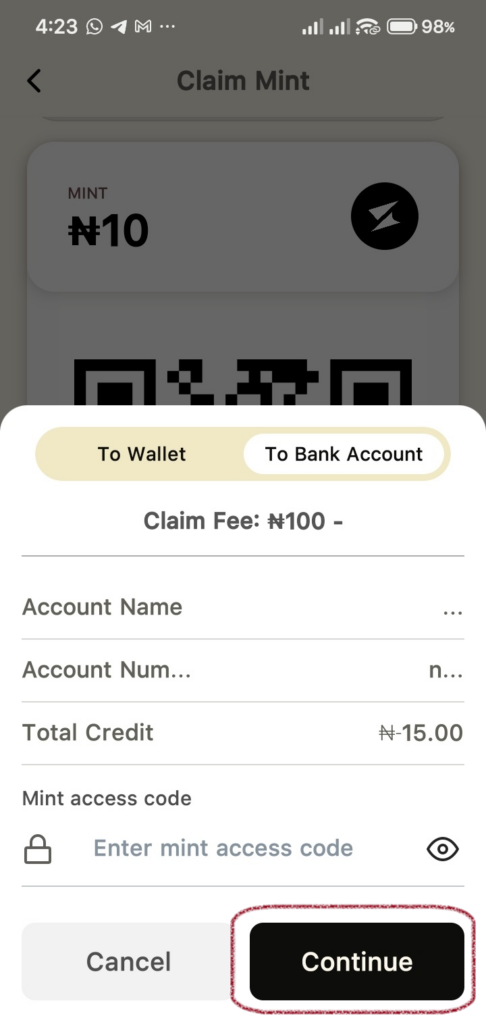
Review the automatically generated Account Name to ensure it matches your records.
- Mint Access Code: Enter the specific code provided to you by the sender.
- Review the Total Credit (the Mint value minus the claim fee).
- Tap Continue.
Step 5: Success
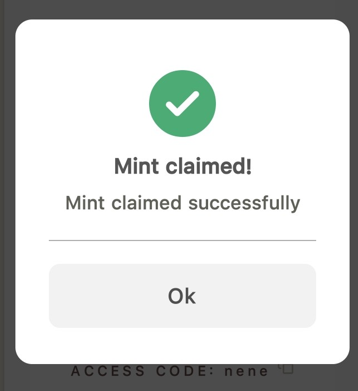
Once the transaction is processed, a green confirmation will appear stating Mint claimed successfully.
- Tap Ok to finish. Your funds are now on their way to your bank account.
Quick Tip: If you want to avoid the bank transfer fee, you can choose the To Wallet option instead to claim the full amount instantly to your Supacash balance.