
Creating a Mint is a secure and private way to send money or gift funds to others instantly. Follow this simple guide to generate your first Mint.
Step 1: Access the Mint Feature
There are two ways to start:
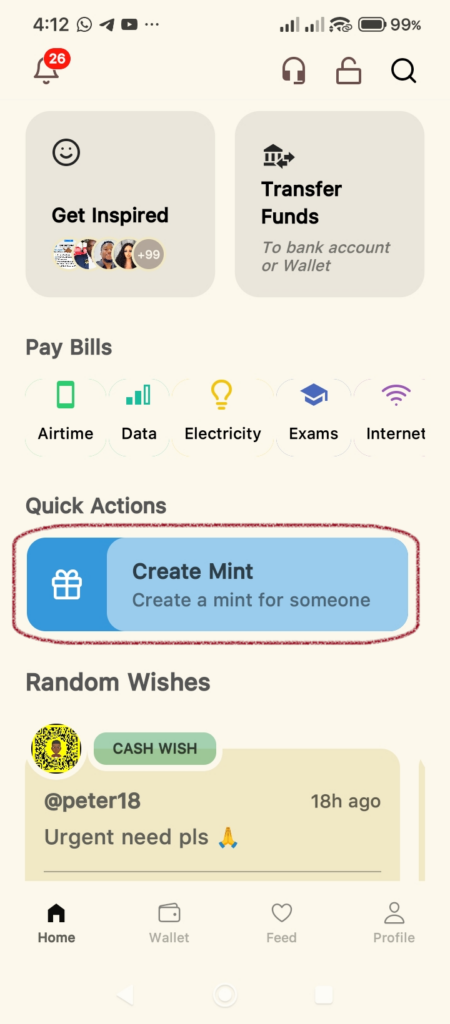
- From the Home Screen: Locate the Quick Actions section and tap on the Create Mint button.
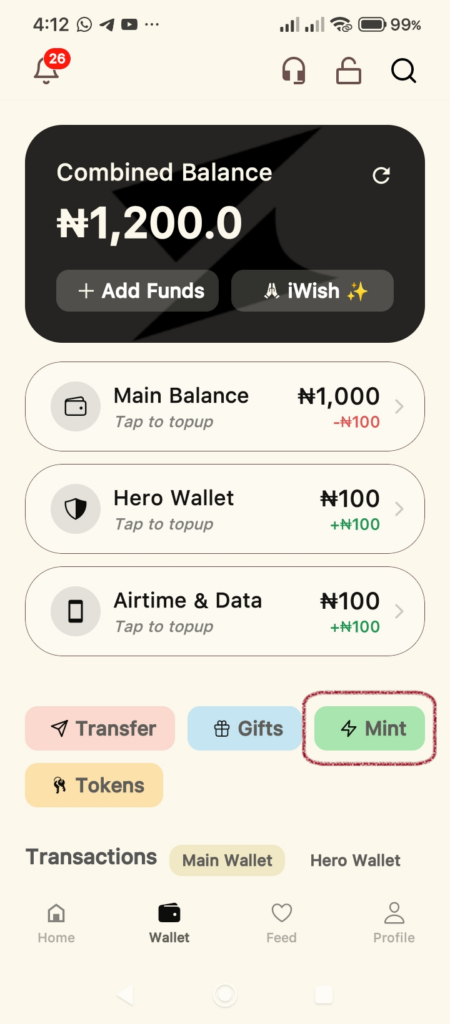
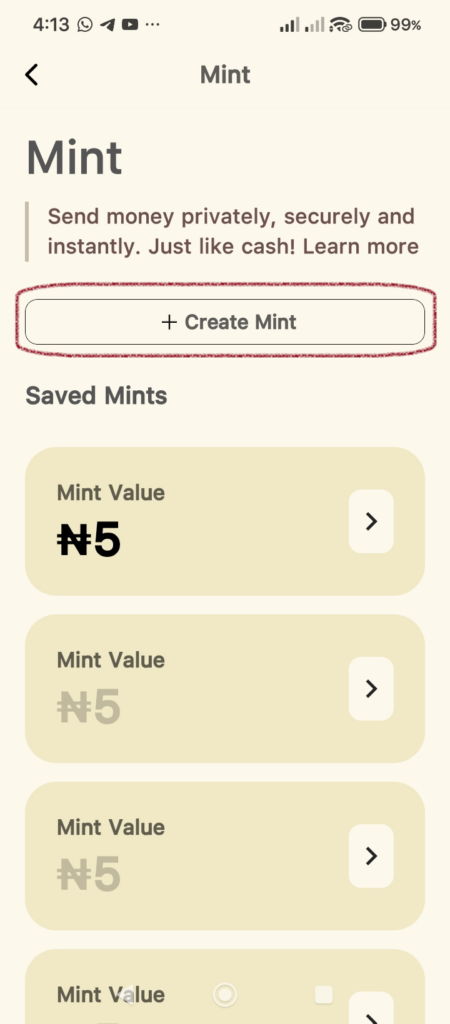
- From the Wallet Screen: Navigate to your Wallet tab and tap the Mint button located below your balance cards then tap on the Create Mint button in the next screen displayed.
Step 2: Enter Mint Details
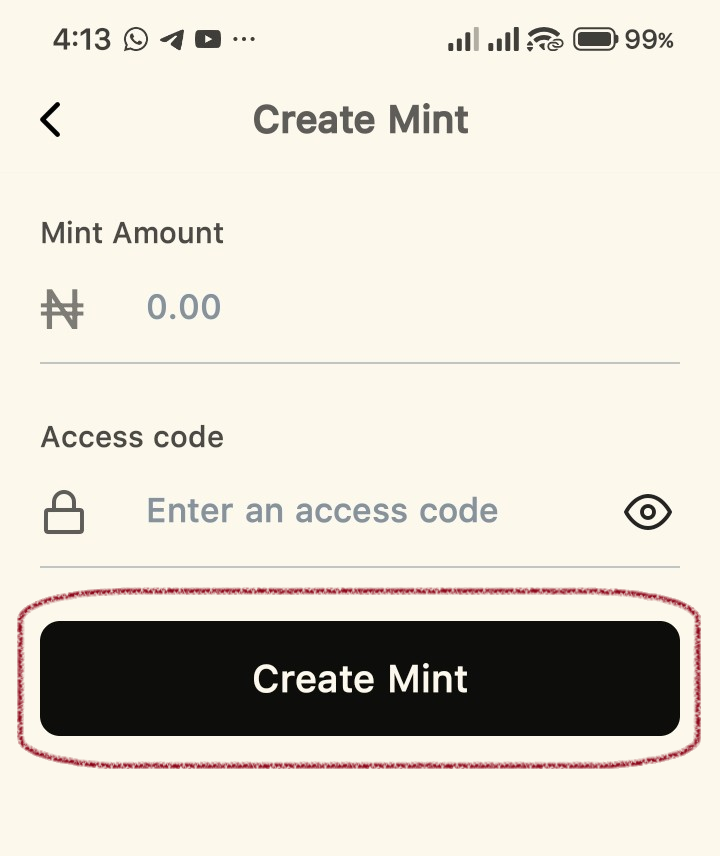
Once you are on the Create Mint screen:
- Mint Amount: Enter the amount you wish to mint.
- Access Code: Create a custom access code. This adds an extra layer of security for the person receiving the funds.
- Tap the Create Mint button.
Step 3: Confirm Payment
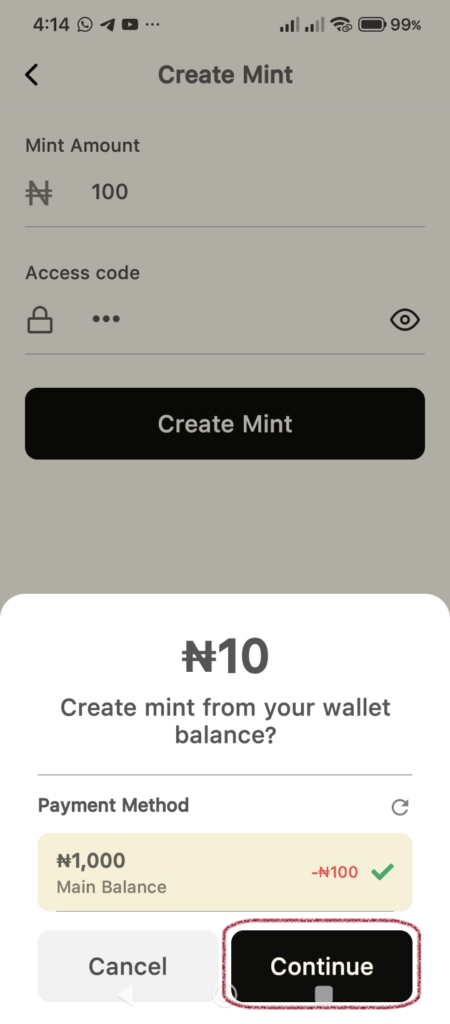
A payment summary will appear at the bottom of your screen:
- Review the amount and confirm your Payment Method.
- Tap Continue.
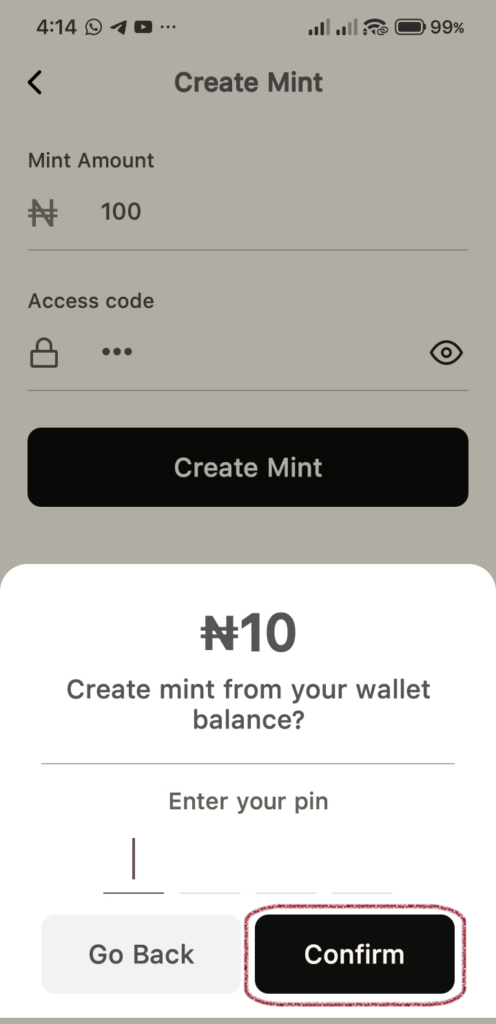
- Enter your PIN: For security, type in your transaction PIN to authorize the creation of the Mint.
- Tap Confirm.
Step 4: Share or Claim Your Mint
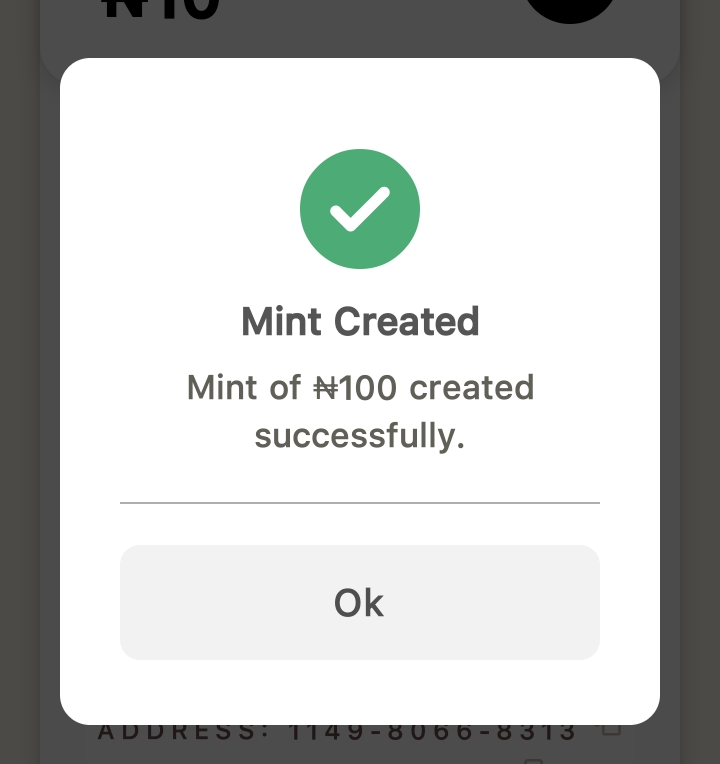
Once successful, you will see a Mint Created confirmation message. Tap Ok to view your Mint voucher.
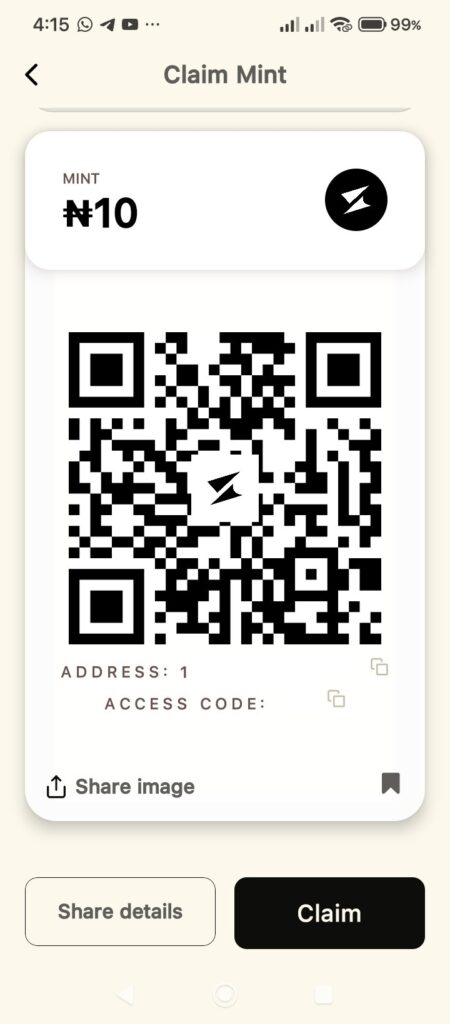
On the Claim Mint screen, you have several options to get the funds to your recipient:
- QR Code: The recipient can scan the generated QR code to claim the funds.
- Share Image: Tap this to send a screenshot of the Mint voucher.
- Share Details: Tap this to copy and send the Address and Access Code text directly.
- Claim: If you created this for yourself, you can tap Claim to move the funds back or elsewhere.
Tip: You can always find your active Mints later by clicking on the Mint icon and viewing the Saved Mints list.