
Need a little extra help with an important bill? The Make a Wish feature on Supacash allows you to reach out to the community for support. Whether it’s for data, electricity, or other essentials, here is how you can share your request and get the help you need.
Step 1: Access the Make a Wish Feature
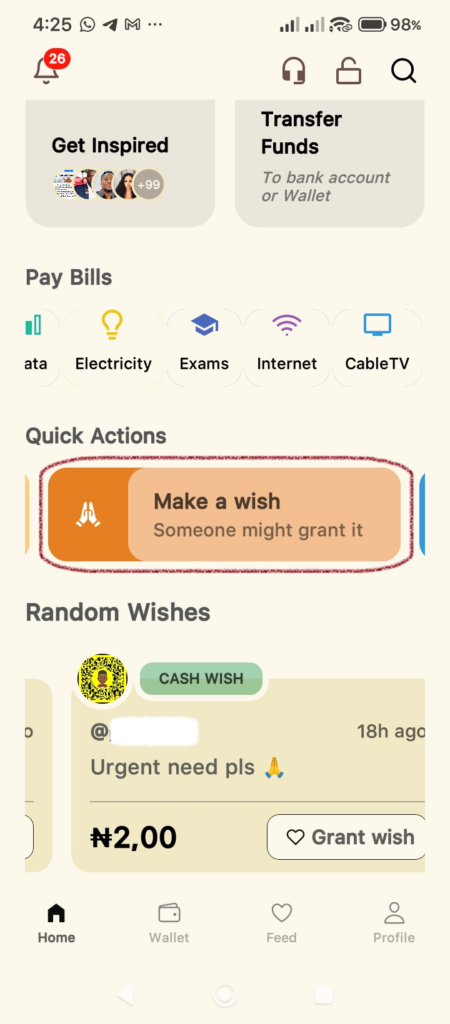
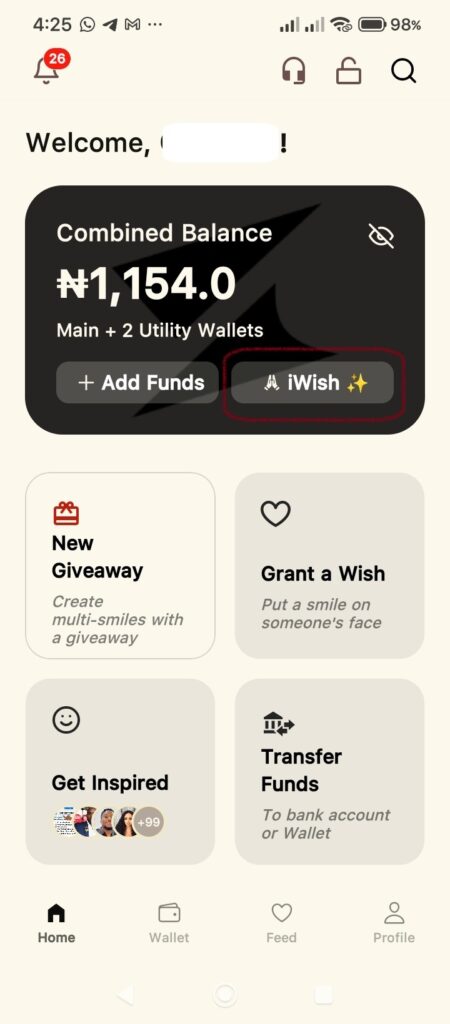
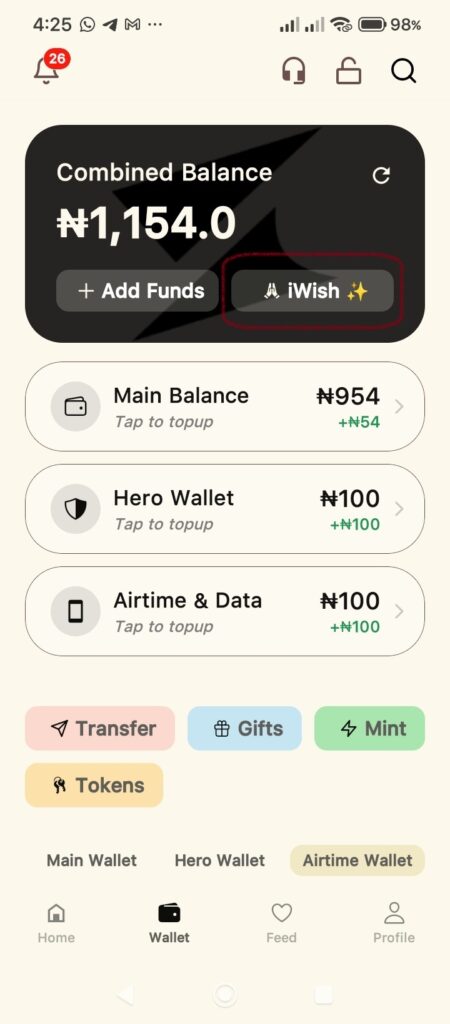
Open your Supacash app. There are two quick ways to find the wish portal from your dashboard:
- From the Home Screen: Scroll down to the Quick Actions section and tap the Make a wish banner.
- From your Wallet: Tap the iWish button located right inside your Combined Balance card.
Step 2: Enter your Wish Details
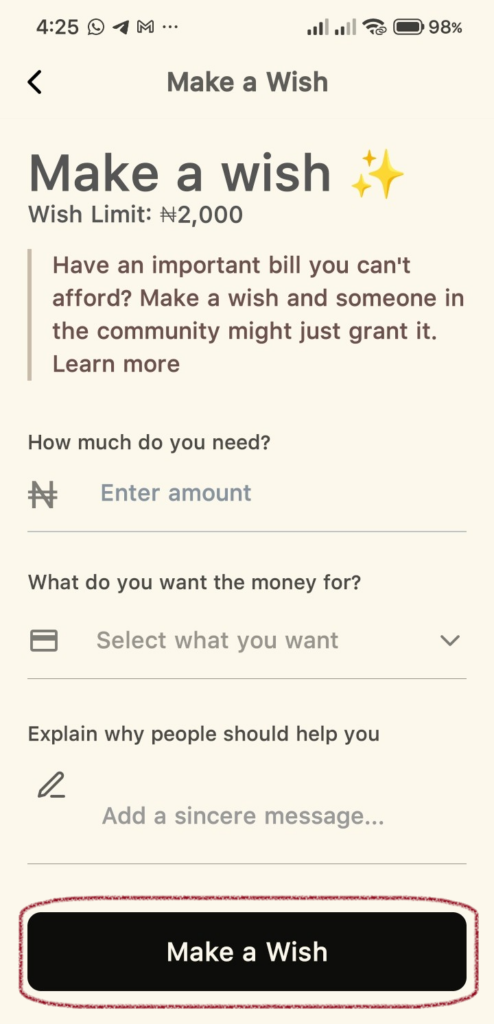
Once you are on the Make a Wish screen, you will need to provide some specific information:
- How much do you need? Enter the amount you are requesting.
Note: There is a Wish Limit of ₦2,000. - What do you want the money for? Tap the dropdown menu to select a category. Note: the option you select determines the utility wallet the funds will be credited to when your wish is granted and you can only spend the funds on purchases relating to the utility/wallet. If you select the Anything option, the funds will be credited to your main wallet balance when your wish is granted.
- Explain why people should help you: In the text box, write a sincere message explaining your situation. A clear and honest reason often helps the community understand your need better.
- Tap the Make a Wish button.
Step 3: Review the Transaction
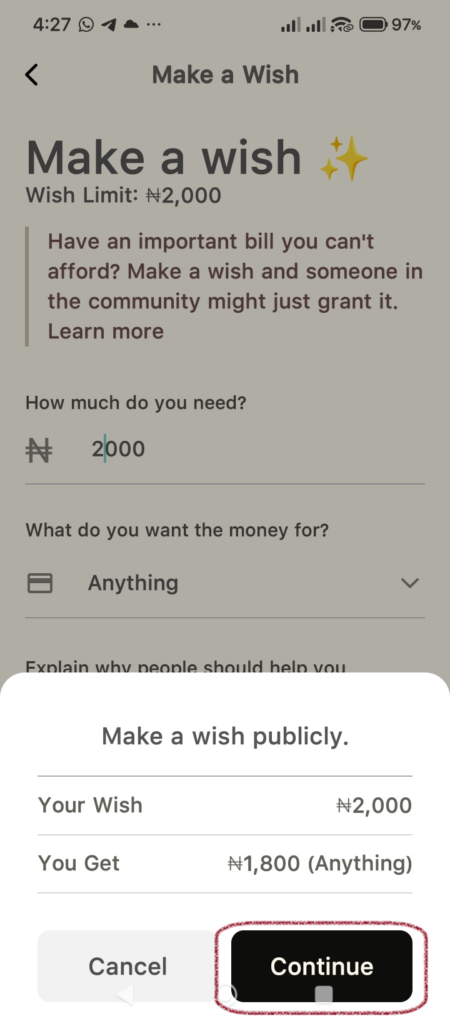
After tapping the Make a Wish button, a summary pop-up will appear.
- Your Wish: This shows the total amount you are asking for.
- You Get: This shows the final amount you will receive after any applicable platform processing fees.
- Tap Continue if everything looks correct.
Step 4: Securely Confirm
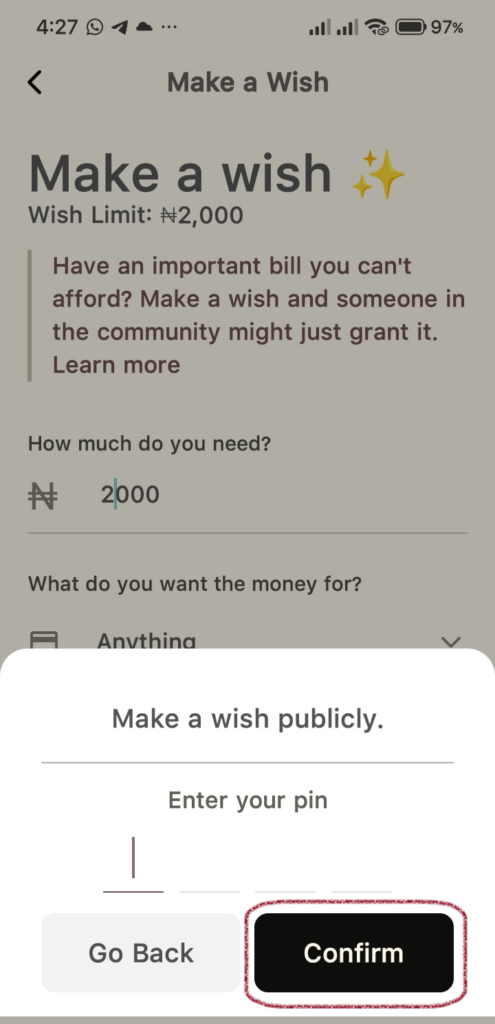
To confirm your wish, the app will ask for your security PIN.
- Enter your 4-digit transaction PIN.
- Tap Confirm.
Step 5: Wish Sent
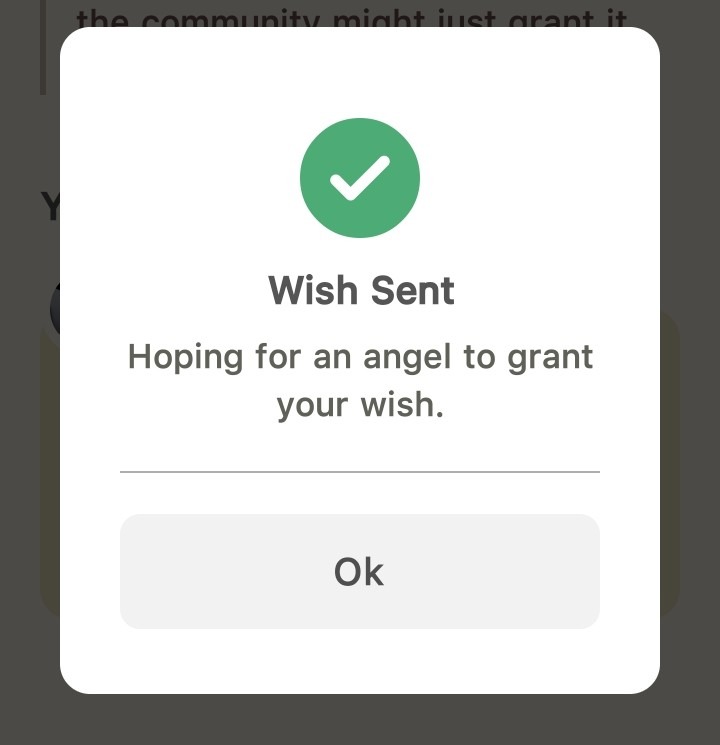
If successful, you will see a green checkmark and a message saying Wish Sent. Tap Ok to return to your dashboard.
Step 6: Manage Your Wish
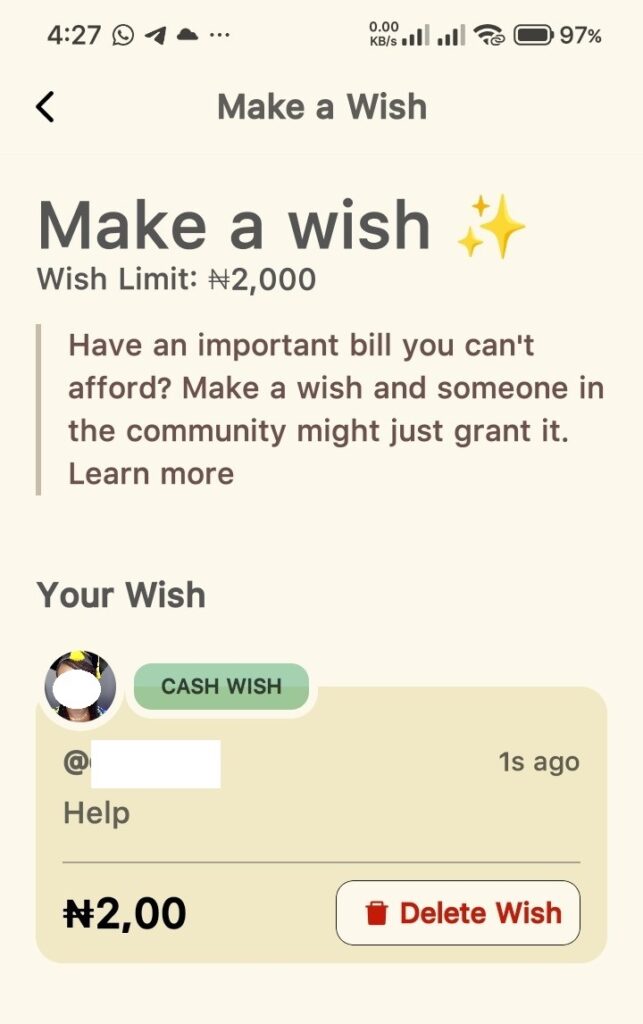
Your wish will now be visible in the Random Wishes feed for others to see and grant. You can view your active wish on the Make a Wish page. If your circumstances change, you can also use the Delete Wish button to remove it at any time.
Tip: Sincerity is key. Users are more likely to grant wishes that have a clear, relatable explanation. Good luck.