Forgetting a password happens to the best of us. If you’re locked out of your Supacash account, follow this simple step-by-step guide to regain access quickly and securely.
Step 1: Initiate the Reset
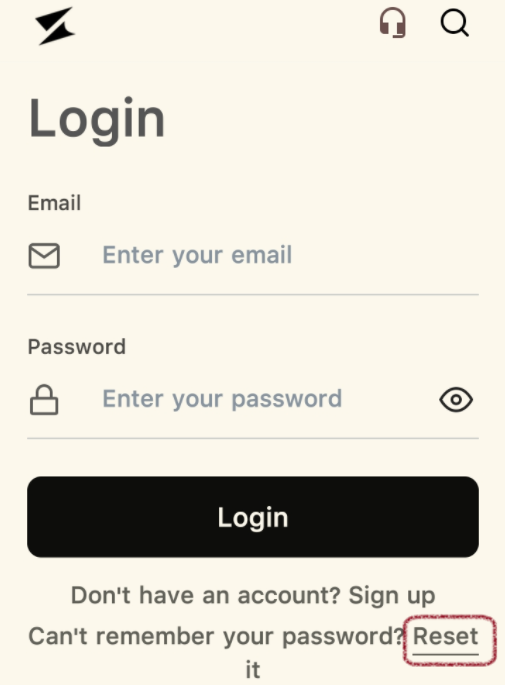
Open the Supacash app to the Login screen. Beneath the black Login button, you will see the text: “Can’t remember your password?” Tap the underlined Reset link to begin.
Step 2: Enter Your Registered Email
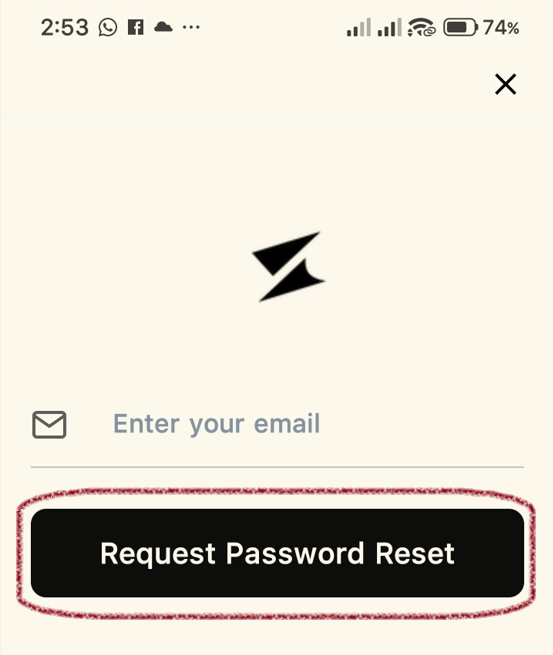
You will be directed to a screen to request a password reset.
- Enter the Email Address associated with your account into the field provided.
- Tap the black Request Password Reset button.
Step 3: Verify Your Identity (OTP)
Supacash will send a One-Time Password (OTP) to your email to ensure it’s really you.
- Check your email inbox (and your spam folder, just in case) for the code.
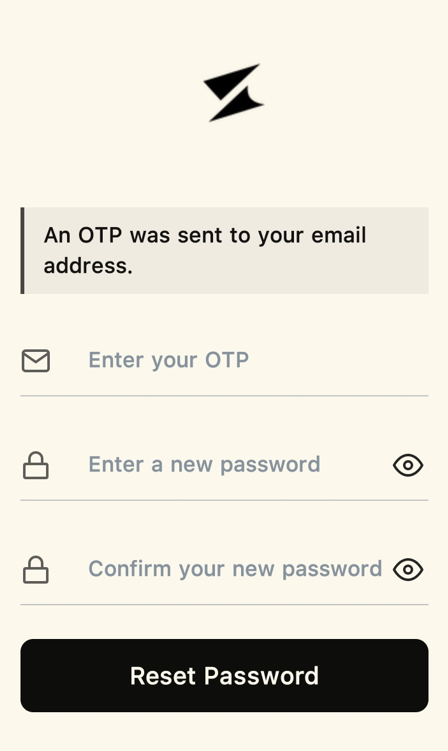
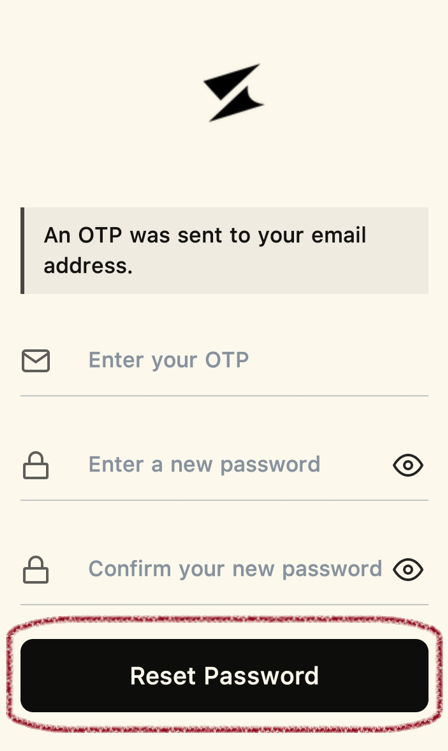
- Return to the app and enter the code in the Enter your OTP field.
Step 4: Create a New Password
On the same screen, you will see two password fields:
- Enter a new password: Type in your chosen new password.
- Confirm your new password: Re-type the same password to ensure there are no typos.
- Tap the Reset Password button.
Tip: Use a mix of letters, numbers, and symbols to keep your account extra secure.
Step 5: Log In with Your New Credentials
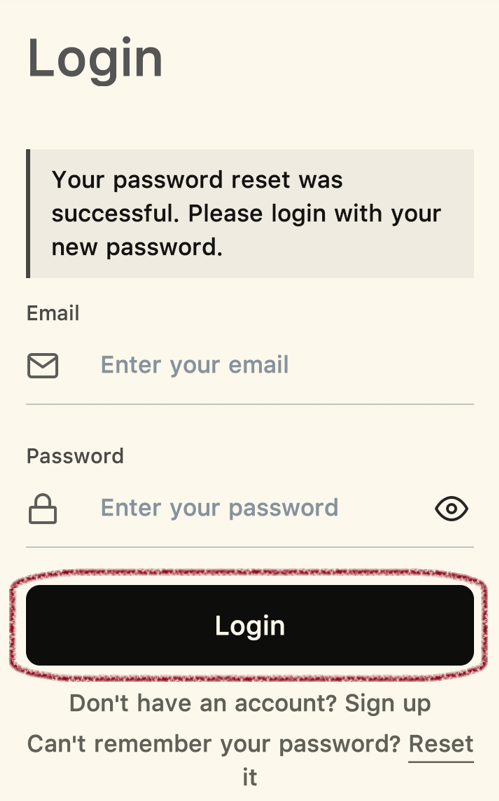
Once the reset is complete, a confirmation banner will appear stating: “Your password reset was successful.”
- Enter your Email and your New Password.
- Tap Login to access your account.