
If you’ve forgotten your transaction PIN or simply want to update it for better security, Supacash makes the recovery process straightforward.
Step 1: Initiate the Reset
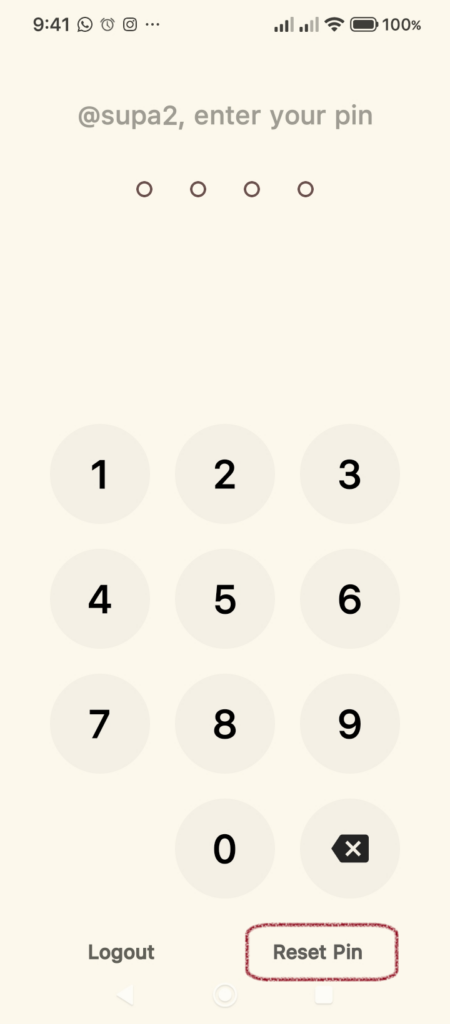
When prompted to enter your PIN, look for the Reset Pin option located at the bottom right corner of the screen. Tap it to open the reset screen.
Step 2: Provide Security Credentials
To ensure your account remains secure, you must verify your identity before changing the PIN. On the Reset your pin screen, fill in the following:
- New pin: Type in the new 4-digit PIN you wish to use.
- Current password: Enter the login password for your Supacash account.
Step 3: Save Your New PIN
Once you have entered your new digits and confirmed your identity with your password, tap the Save PIN button.
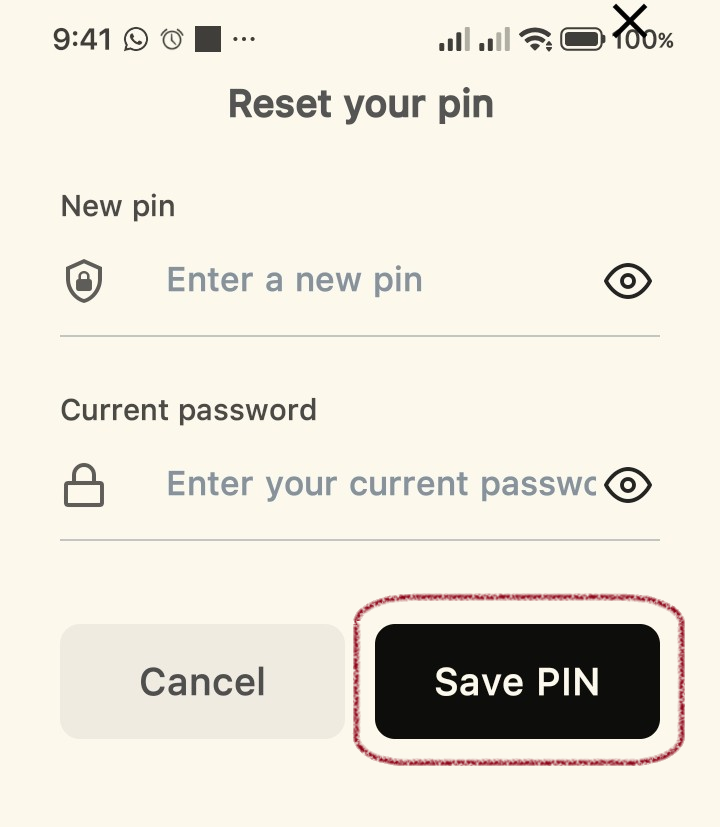
Note: If you change your mind during this process, you can tap the Cancel button to return to the previous screen without making changes.
Step 4: Confirm and Log In
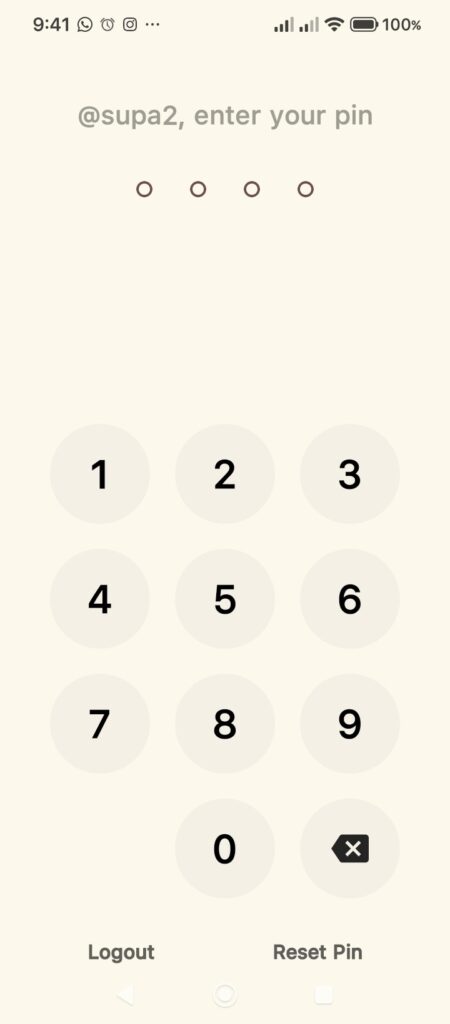
After saving, the app will return you to the PIN entry screen. Enter your newly created 4-digit PIN on the keypad to verify the change and continue with your transaction.
Helpful Security Reminders:
- Never share your transaction PIN or account password with anyone, including individuals claiming to be Supacash support.
- If you find yourself frequently locked out, ensure you are not using a PIN that is too similar to other codes on your device.