
Need to move some cash into your Hero Wallet for giveaways or wishes? You can easily lock funds from your existing Main Balance in just a few steps.
Step 1: Open Your Wallet
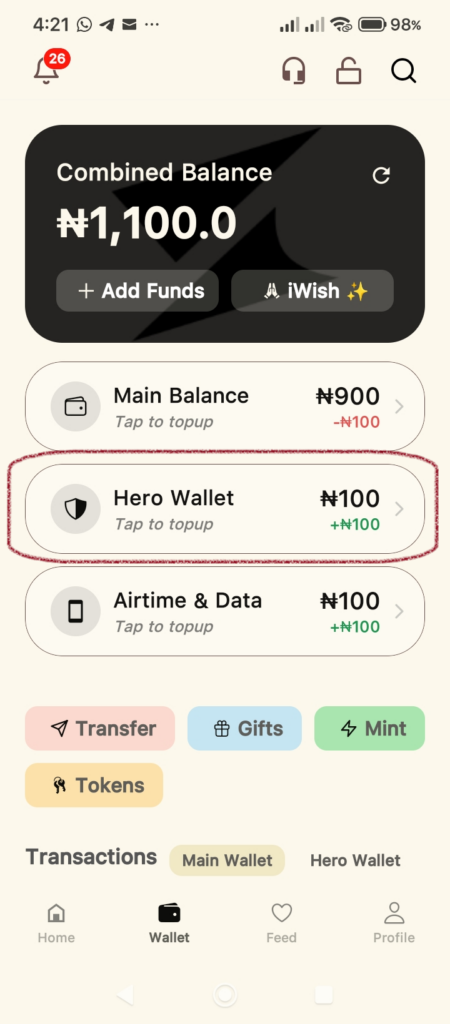
Launch the Supacash app and tap the Wallet icon at the bottom of the screen. From the wallet overview, tap on Hero Wallet to open the funding options.
Step 2: Set Your Funding Details
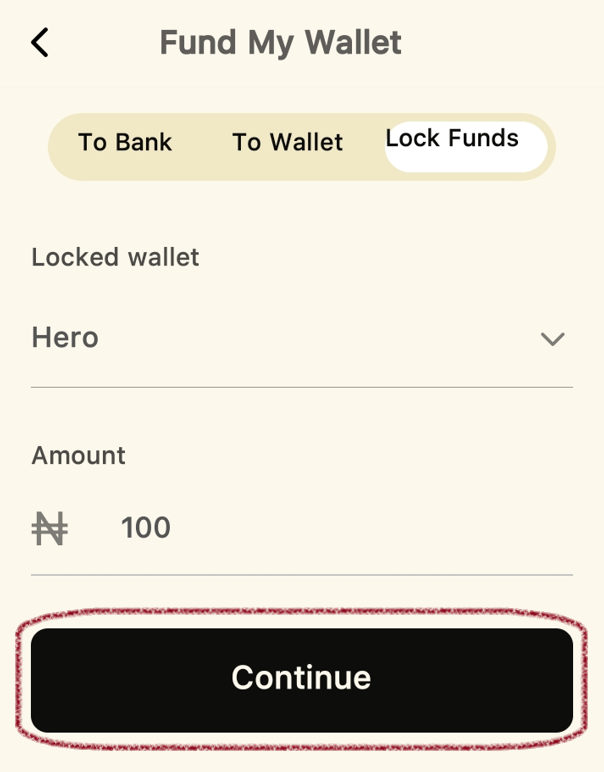
On the Fund My Wallet screen:
- Ensure the Lock Funds tab is selected at the top.
- Confirm that Hero is selected under the Locked wallet dropdown.
- Enter the Amount you wish to transfer.
- Tap Continue.
Step 3: Confirm the Transfer
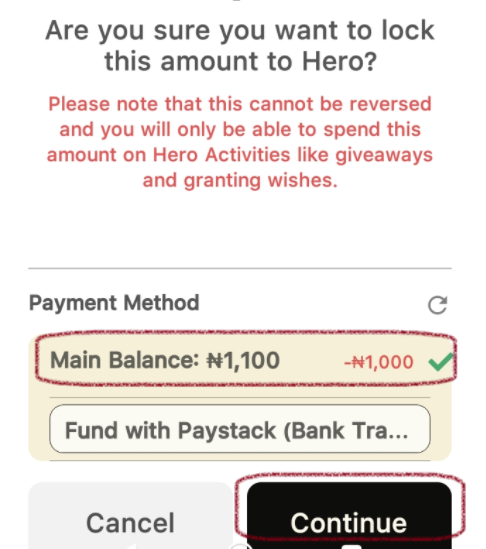
A confirmation window will appear with important details:
- Important Note: Funds moved to the Hero Wallet are locked, meaning they cannot be reversed and must be used for Hero Activities like giveaways or granting wishes.
- Payment Method: Ensure Main Balance is selected (it will show you the amount to be deducted).
- Tap Continue.
Step 4: Authorize with Your PIN
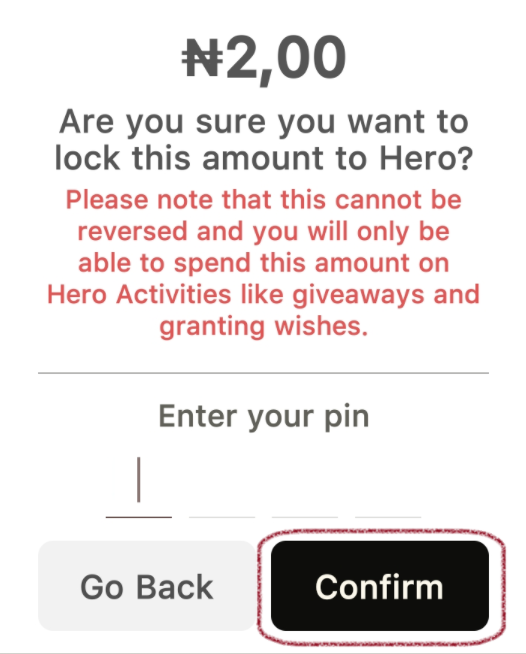
To keep your funds secure, you will be prompted to Enter your pin. Type in your 4-digit transaction PIN and tap Confirm.
Step 5: Success!
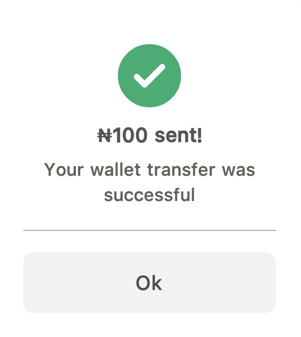
Once the transfer is processed, you will see a success message stating Your wallet transfer was successful. Tap Ok to return to your wallet dashboard.
Note: Always double-check your amount before confirming, as these funds are dedicated strictly to Hero Activities once moved.