
Transferring money from your Supacash wallet to a bank account is quick and secure. Follow these simple steps to complete your transaction in minutes.
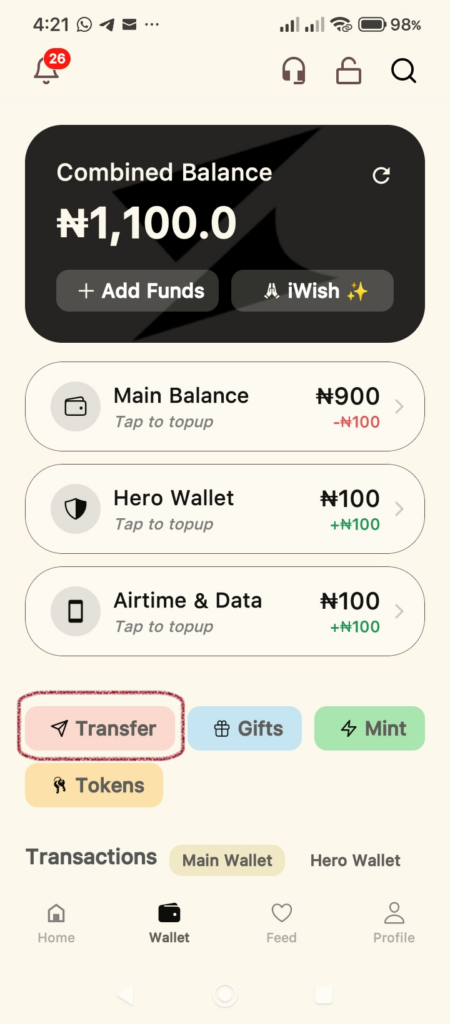
Step 1: Access the Transfer Menu
From your app’s Wallet dashboard, locate the action buttons below your balances. Tap the Transfer button.
Step 2: Enter Recipient Details
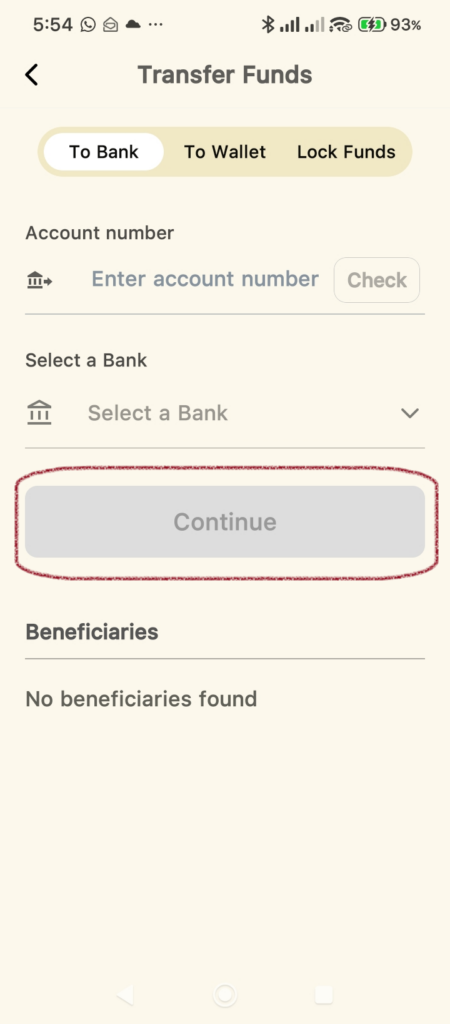
Once you are on the Transfer Funds screen:
- Ensure the To Bank tab is selected at the top.
- Enter the recipient’s Account Number.
- Select the destination Bank from the dropdown list.
- Tap Continue. The app will automatically verify the account name for you.
Step 3: Set the Amount
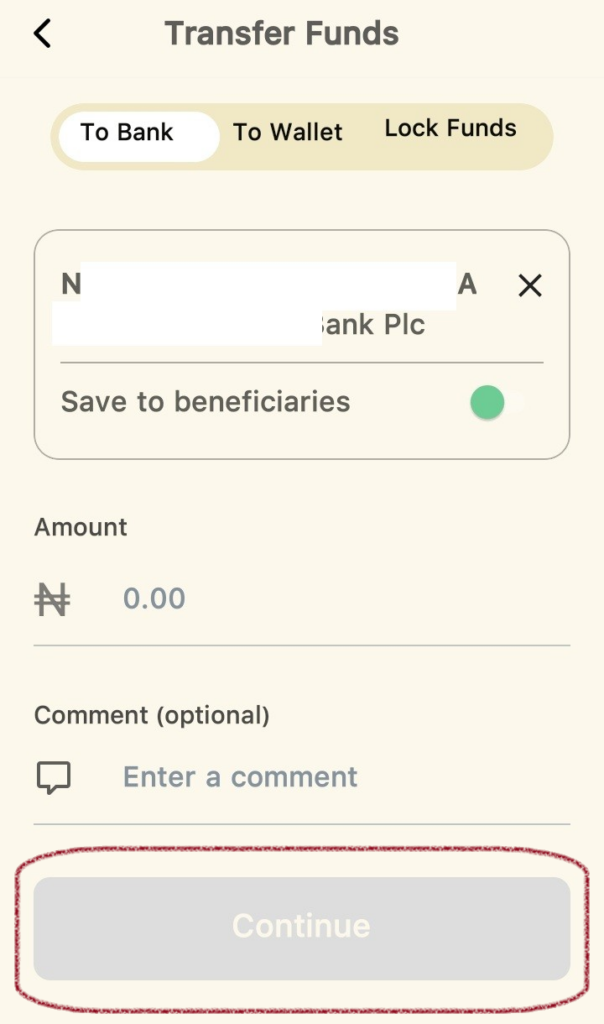
On the next screen, the verified account name will appear at the top.
- Enter the Amount you wish to send.
- (Optional) Add a Comment if you’d like to include a note with the transfer.
- Tap Continue.
Step 4: Confirm Payment Details
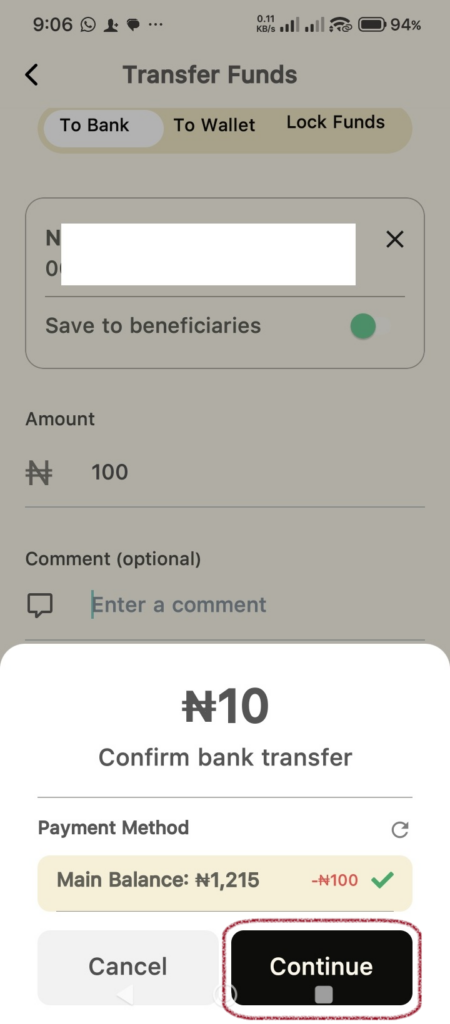
A confirmation pop-up will appear showing the summary of your transfer.
- Review the Payment Method and the total amount.
- If everything looks correct, tap Continue.
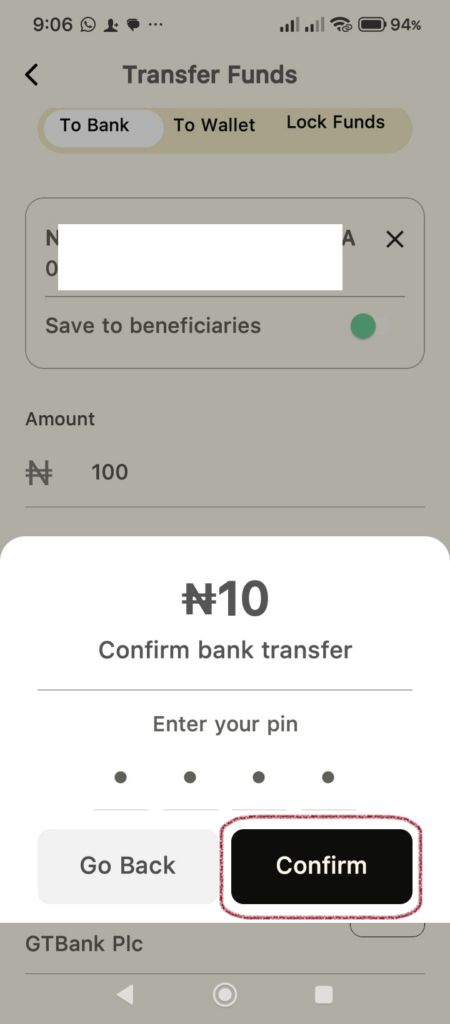
Step 5: Authorize the Transaction
To keep your funds safe, you will be prompted to verify the transfer.
- Enter your secure 4-digit PIN.
- Tap Confirm.
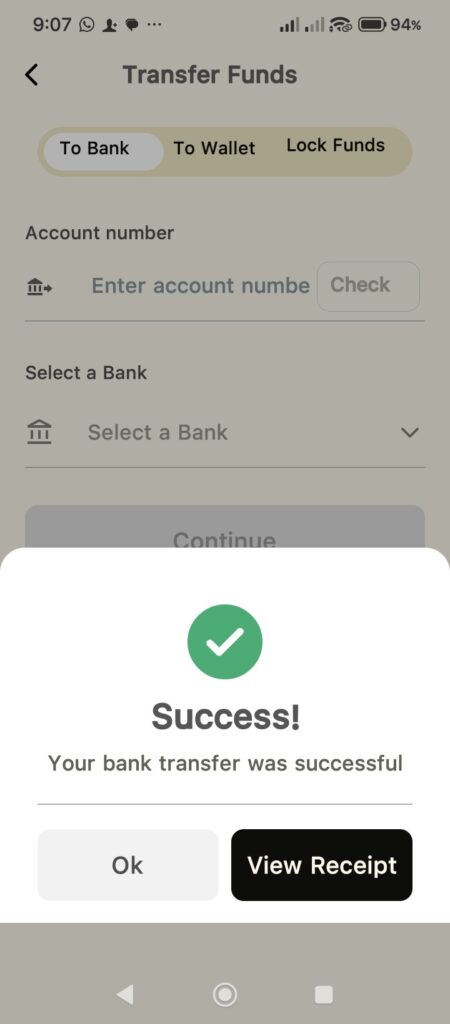
Step 6: Success!
Once processed, you will see Success! notification. From here, you can:
- Tap Ok to return to your wallet.
- Tap View Receipt to save or share a proof of payment for your records.
Tip: You can toggle the Save to beneficiaries switch during Step 3 to make future transfers to this account even faster.