Once your goal is live, managing it is simple. Whether you want to boost your savings to hit your milestone faster or wrap things up early, the Supacash app makes the process seamless.
How to Add Funds to an Existing Goal
Keep your momentum going by adding money to your target balance at any time.
Step 1: Open Your Goal Details
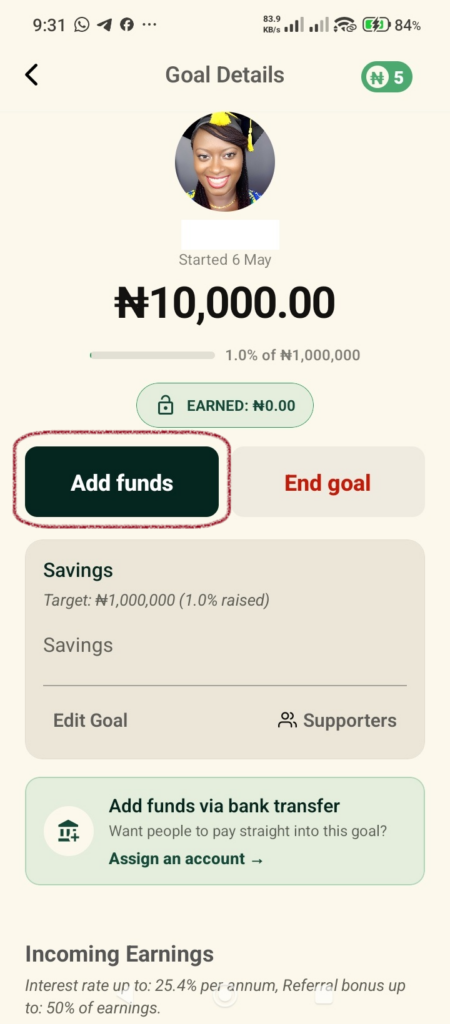
From your main goals dashboard, select the active target you want to grow. This opens the Goal Details. Tap the dark green Add funds button on the left.
Step 2: Set the Amount and Choose a Payment Method
An overlay window titled “Add funds to goal” will slide into view,
- Amount: Type in the amount of money you want to add (e.g., ₦5,000).
- Payment Method: Choose your preferred funding source. You can select your Main Balance or tap Pay with Other Banks if your current app wallet balance is low.
- Tap Continue to move forward.
Step 3: Add a Comment and Securely Authorize
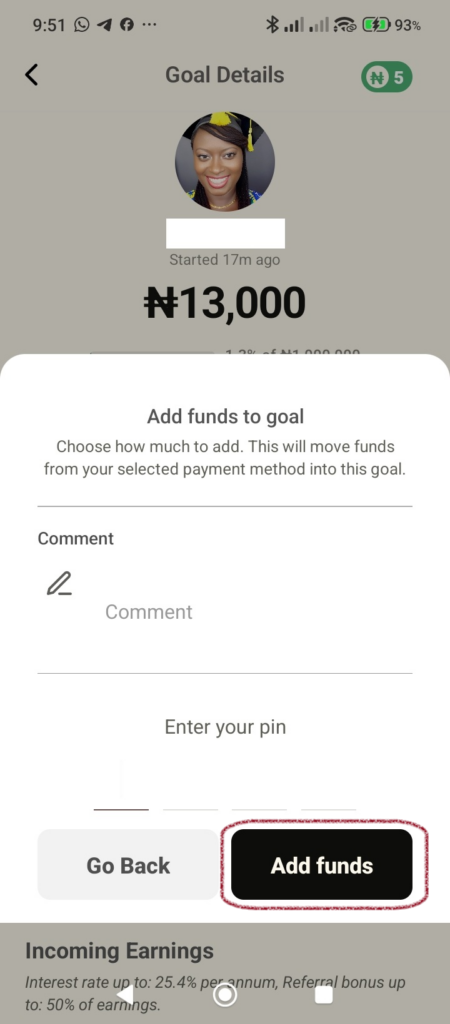
- Comment (Optional): Leave a short note or milestone memo if you want to track this specific deposit.
- Enter your PIN: Carefully type in your secure 4-digit transaction PIN.
- Tap the black Add funds button at the bottom right to instantly update your goal balance.
How to End an Existing Goal Early
If your plans change or you have reached a personal milestone early, you can close out a goal and instantly reclaim your funds.
Step 1: Select Your Goal
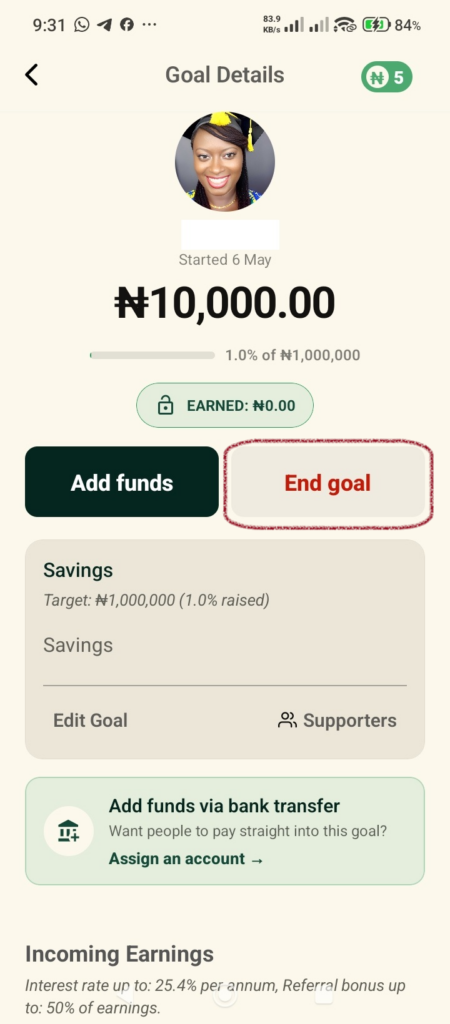
Navigate to the Goal Details dashboard screen for the specific saving pool you want to close. Tap the light grey End goal button located on the right.
Step 2: Review the Warning and Verify Your PIN
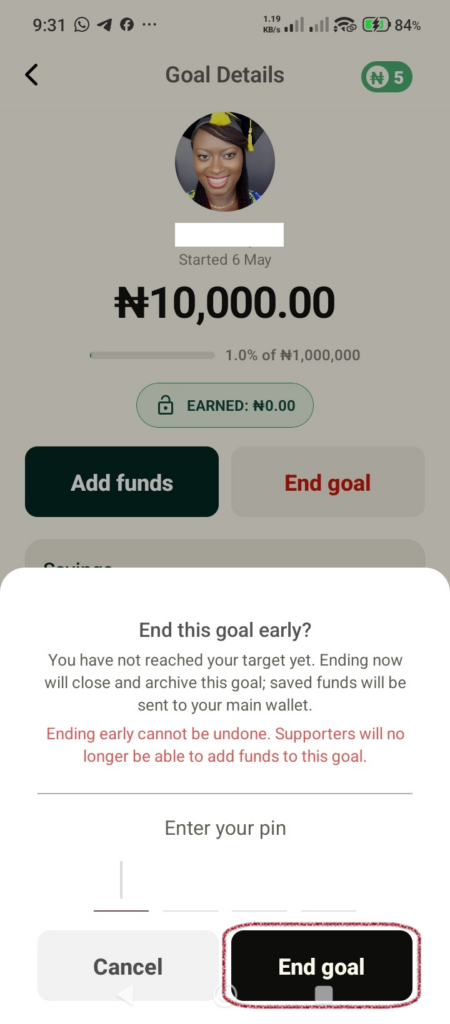
An overlay titled “End this goal early?” will appear over the screen.
Important Security Notice:
- Ending a goal early cannot be undone.
- Once closed, your saved funds are instantly transferred directly back into your main wallet balance.
- Supporters will no longer be able to view or contribute money to this specific target.
If you are ready to proceed, enter your 4-digit security PIN in the space provided under Enter your pin.
Step 3: Finalize the Closure
Tap the black End goal button at the bottom right of the overlay panel to permanently archive the target and move your money back to your main wallet.